Polls let fans choose between options in a post. Write a clear question and make the answer choices easy to distinguish. The poll is part of a post, so its audience still matters.
Before you start
Sign in to the account you want to use. Creator-only controls appear only for accounts with the relevant access. If you manage someone else’s account, confirm you are in the correct workspace before making a change. The pictures use fictional example data; your balances, names, available options and screen layout may differ.
Step by step
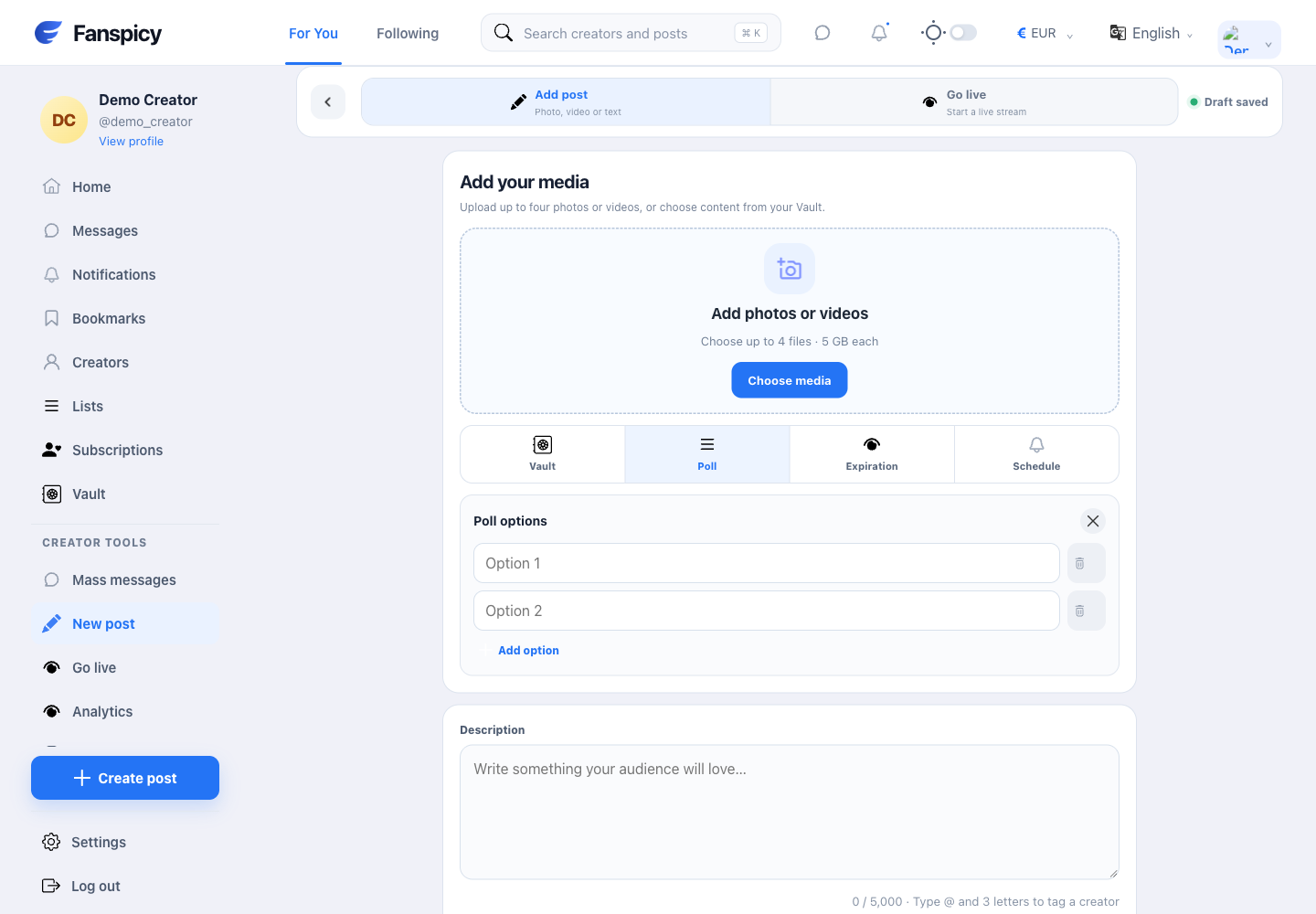
- Open New post and select Poll.
- Write the question in your post description.
- Enter at least two answer options. Use additional option controls only as needed; the composer supports up to ten choices.
- Review every option for spelling, duplication and private information.
- Choose the post audience and any applicable price separately.
- Review the whole post before publishing.
Check the result
Check the published post and its audience. A poll draft is not a submitted vote, and the number of votes is not the same as the number of subscribers.
If something is not working
If an option cannot be saved, check that the required choices contain text. For incorrect results or missing votes, report the post and time; do not invent a result from other account statistics.
When reporting a problem, include the page, approximate time, what you expected and what happened instead. A screenshot of the error can help. Hide private messages and payment details that are unrelated to the issue. Never send your password, verification code, recovery code or API secret.