A payout request moves through a different process from earning money. Available methods, limits, fees and destination fields depend on what the website offers for your account.
Before you start
Sign in to the account you want to use. Creator-only controls appear only for accounts with the relevant access. If you manage someone else’s account, confirm you are in the correct workspace before making a change. The pictures use fictional example data; your balances, names, available options and screen layout may differ.
Step by step
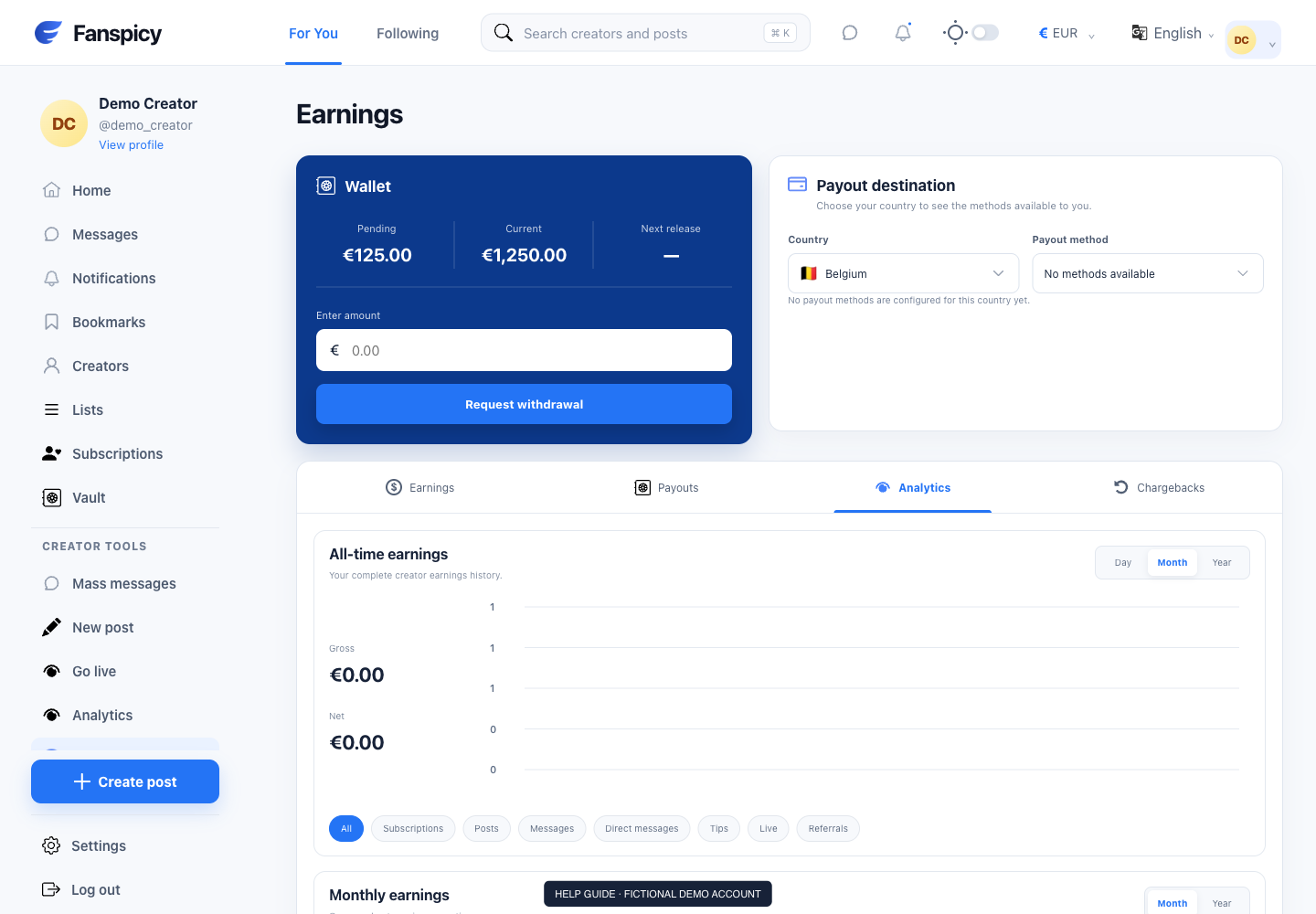
- Open Earnings and review the Current balance.
- Review Payout destination and choose your country to see eligible methods.
- Select a method and enter the required destination details in the secure website form.
- Review the displayed fees, limits and currency conversion before saving the destination.
- Enter the withdrawal amount and review the request before submitting.
- Open Payouts to confirm the new request and its recorded status.
Check the result
A pending request is not a completed transfer. A completed status or approval notice is not proof that the receiving bank has credited the money. Do not repeat a withdrawal simply because bank receipt is not immediate.
If something is not working
If the request fails, capture the error and check the recorded payout history before trying again. Never paste bank login credentials or complete destination details in chat.
When reporting a problem, include the page, approximate time, what you expected and what happened instead. A screenshot of the error can help. Hide private messages and payment details that are unrelated to the issue. Never send your password, verification code, recovery code or API secret.