The Earnings workspace separates sales history, pending earnings, settled balance and payouts. Comparing the same period and money definition helps explain why two figures differ.
Before you start
Sign in to the account you want to use. Creator-only controls appear only for accounts with the relevant access. If you manage someone else’s account, confirm you are in the correct workspace before making a change. The pictures use fictional example data; your balances, names, available options and screen layout may differ.
Step by step
- Open Earnings from Creator tools.
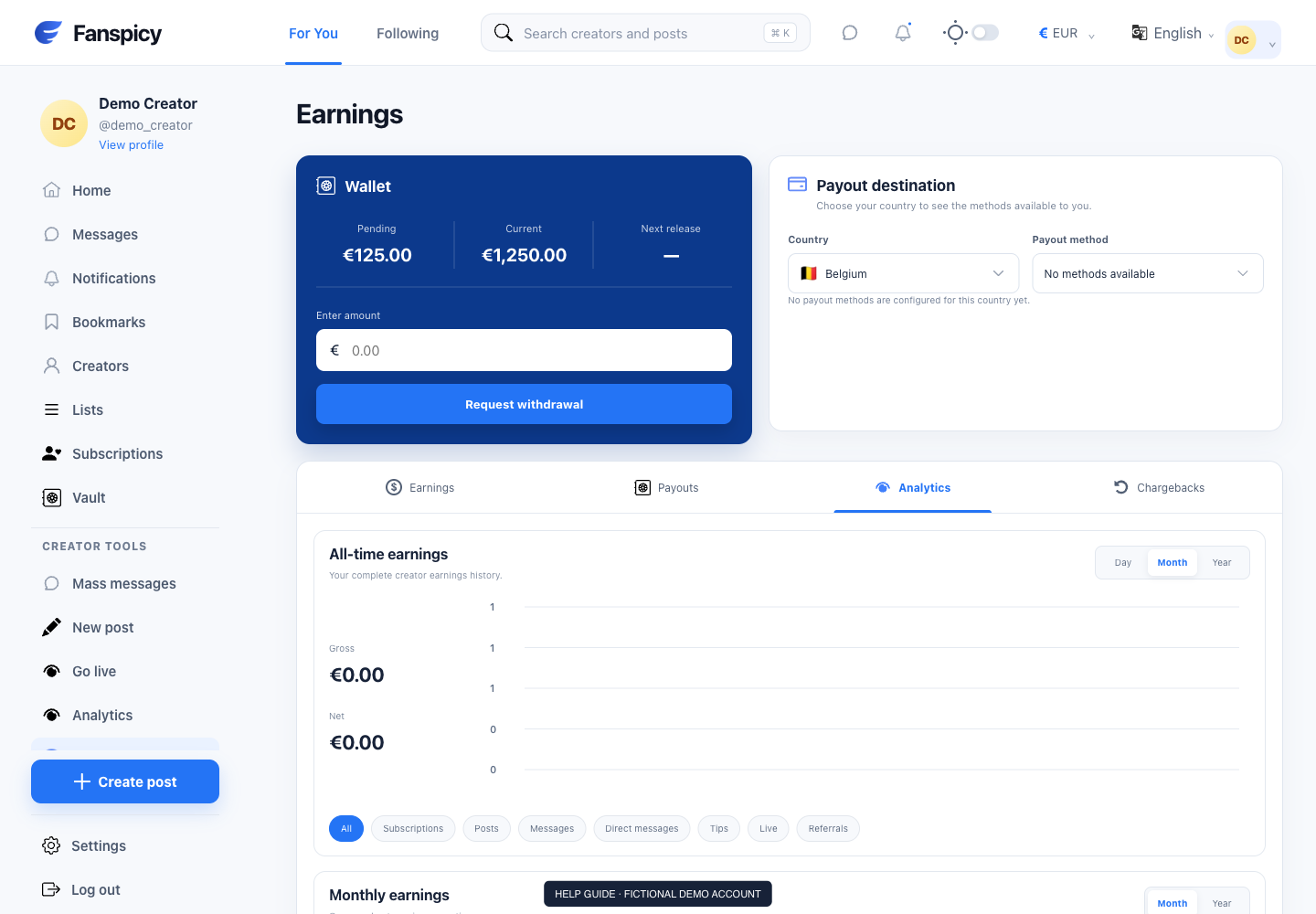
- Review Pending and Current separately. Pending earnings have not completed the settlement window.
- Use the Earnings, Payouts, Analytics or Chargebacks tab for the type of record you need.
- Select the reporting period and category, such as subscriptions, posts, messages or tips.
- Compare gross and net figures using the labels shown rather than treating both as available balance.
- Ask support for a balance breakdown if a specific amount still does not reconcile.
Check the result
Current balance follows the website calculation: settled sales excluding VAT, less recorded platform and agency fees, completed withdrawals and applicable penalties. Pending earnings are separate. Matching this formula does not prove every historical transaction is correct.
If something is not working
For missing money, provide the amount and approximate transaction date. The AI can calculate and explain records but cannot restore funds or issue a refund; unexplained discrepancies need a human review.
When reporting a problem, include the page, approximate time, what you expected and what happened instead. A screenshot of the error can help. Hide private messages and payment details that are unrelated to the issue. Never send your password, verification code, recovery code or API secret.