Analytics helps explain how people discover and interact with your account. Impressions, clicks, views, subscribers and sales measure different events.
Before you start
Sign in to the account you want to use. Creator-only controls appear only for accounts with the relevant access. If you manage someone else’s account, confirm you are in the correct workspace before making a change. The pictures use fictional example data; your balances, names, available options and screen layout may differ.
Step by step
- Open Analytics from Creator tools.
- Choose a period and check the reporting dates.
- Review the source breakdown before comparing traffic.
- For homepage exposure, use only the homepage source rather than traffic from every source.
- Compare impressions with profile clicks and other available results for the same period.
- Review individual post performance and tracking links where available.
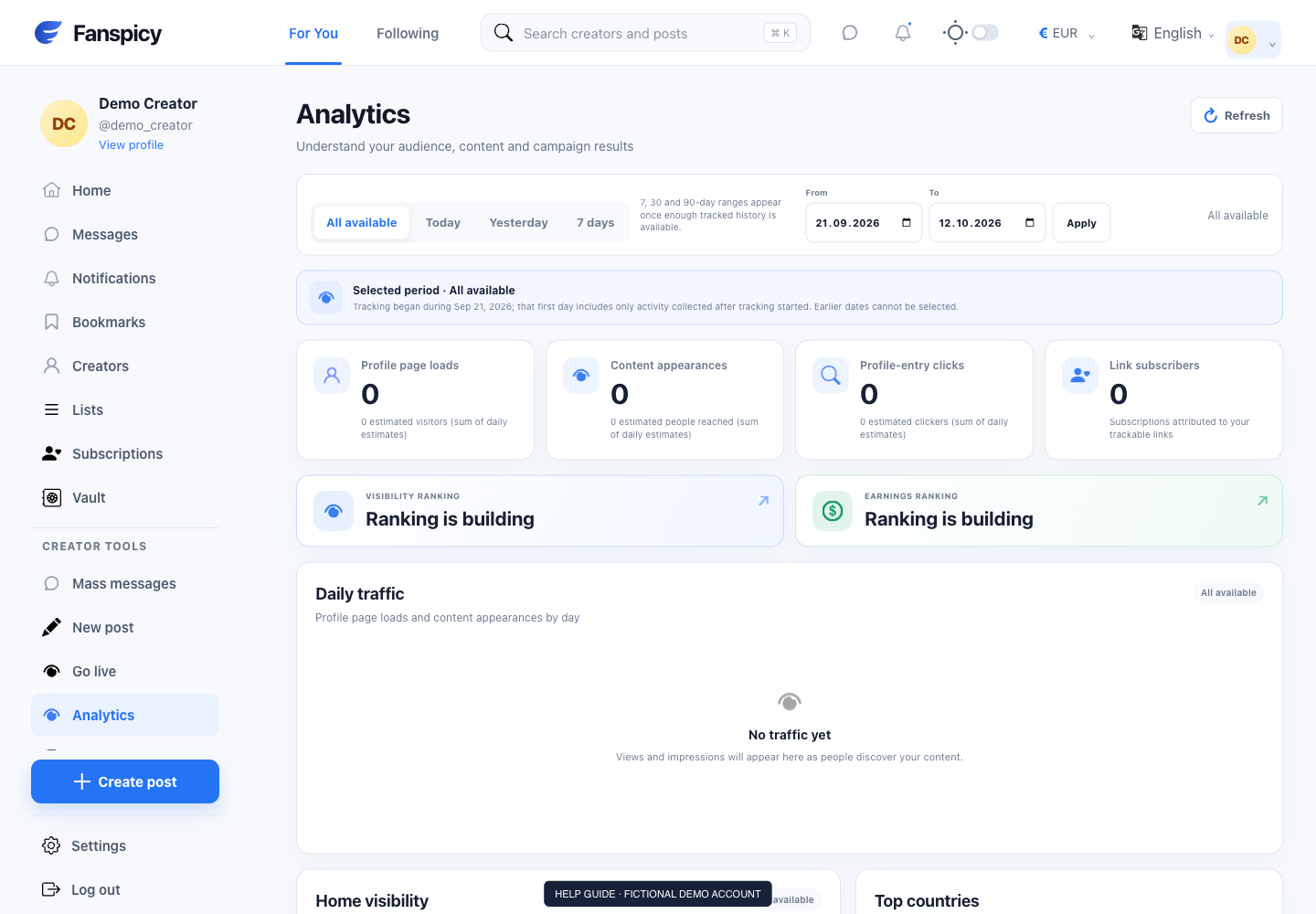
Check the result
Homepage impressions count recorded displays, not unique people or hours on screen. Creator and post impressions can overlap and should not simply be added together. Reporting may lag, and no rows do not prove you were never shown.
If something is not working
If a result seems wrong, provide the metric, period and source you selected. The AI should explain what the records measure instead of promising a ranking boost.
When reporting a problem, include the page, approximate time, what you expected and what happened instead. A screenshot of the error can help. Hide private messages and payment details that are unrelated to the issue. Never send your password, verification code, recovery code or API secret.