The help center brings articles, ticket history and AI support together. The AI can inspect available records for the signed-in account; human agents handle decisions and actions that need review.
Before you start
Sign in to the account you want to use. Creator-only controls appear only for accounts with the relevant access. If you manage someone else’s account, confirm you are in the correct workspace before making a change. The pictures use fictional example data; your balances, names, available options and screen layout may differ.
Step by step
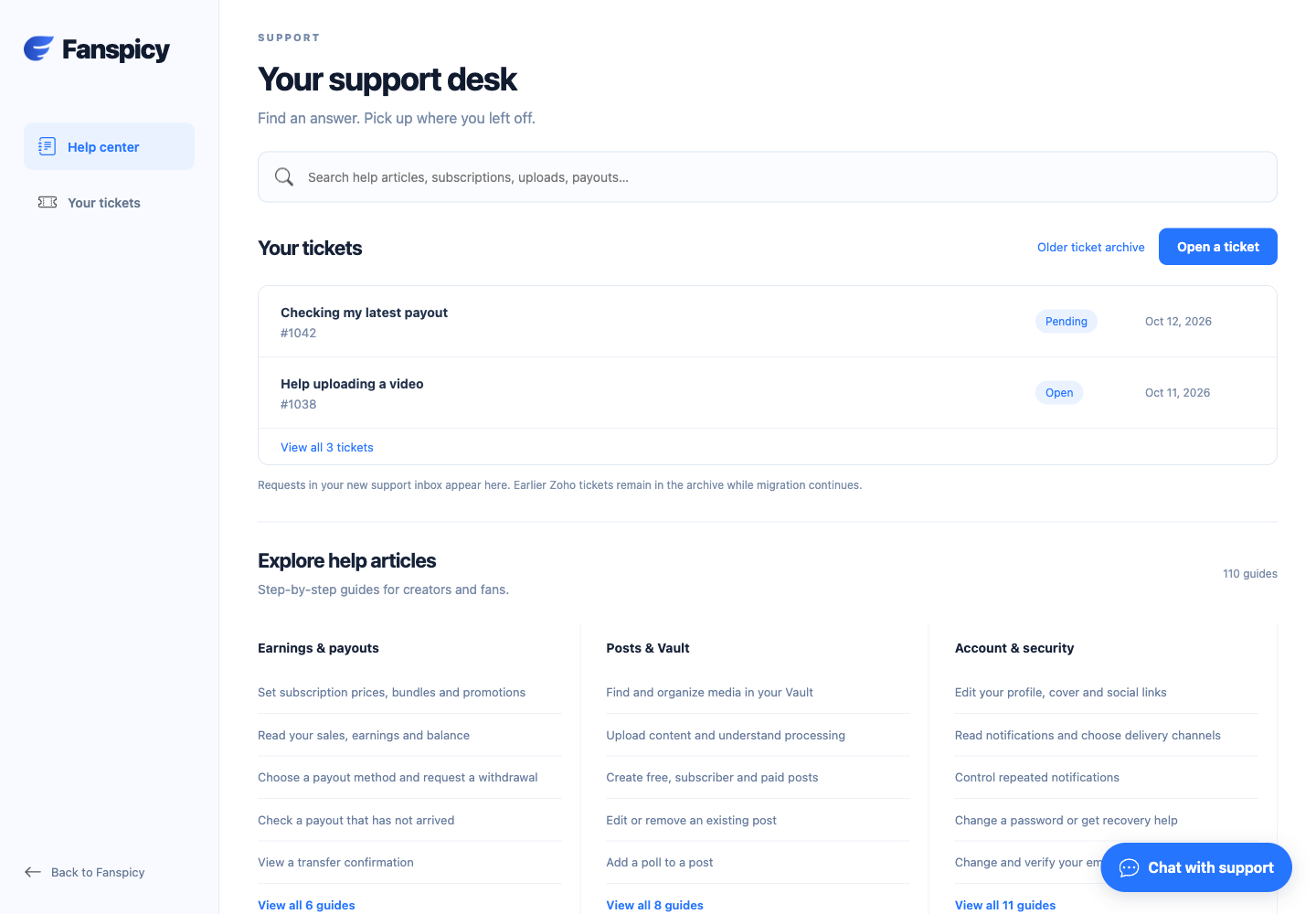
- Search the help articles using a feature name or short description.
- Open the chat widget for a question about your account.
- Use Call inside the same widget to start a voice conversation. Allow microphone access when your browser asks.
- Use Mute or End call in the widget when needed.
- Choose Open a ticket for a human support request and follow it in Your tickets.
- Use Older ticket archive for records that have not yet moved into the new inbox.
Check the result
The AI must not claim it refunded, reset a password, fixed a bug or started a human investigation unless that action is confirmed. A saved support case is not a guaranteed resolution time.
If something is not working
If chat is unavailable for your account during testing, use the existing support ticket channel. Never send passwords, login codes or unrelated private records.
When reporting a problem, include the page, approximate time, what you expected and what happened instead. A screenshot of the error can help. Hide private messages and payment details that are unrelated to the issue. Never send your password, verification code, recovery code or API secret.