

Inhaltsübersicht
To boost your Facebook followers, set up a Page or professional mode so people can follow you, publish original content (Reels above all) on a rhythm you can sustain, reply to everyone who engages, and promote your account everywhere your audience already is. Shortcuts like buying followers break Meta’s rules and add nothing to your audience. This guide walks through each step in order, so you can build a following of people who care about your content.
TL;DR
- Make your account followable: use a dedicated Page, or switch a profile to professional mode.
- Lead with original, shareable content. Reels are recommended to people who don’t follow you yet, so they are your best discovery tool.
- Consistency beats volume. Pick a posting cadence you can keep up for months, then use Insights to refine it.
- Reply to comments, join Groups to help rather than sell, and promote your Page on your website, email and other social platforms.
- Never buy followers. Meta’s policies forbid it, and fake numbers don’t turn into fans, subscribers or income.
Inhaltsübersicht
- Make your account easy to follow
- Build a Page people want to follow
- Create content that earns follows
- Post on a rhythm you can keep
- Engage, join Groups and promote everywhere
- Track what works with Insights
- Can you get 1,000 followers fast?
- Why buying followers backfires
- Our perspective: followers are a doorway, not the destination
- Turn followers into fans who support you
- FAQ
- Sources
Make your account easy to follow
Followers can only find you if the account is set up to be followed. You have three routes, and the right one depends on what you are building.
Option 1: a dedicated Facebook Page
If you are growing as a creator or brand, a Page is the standard choice. A Page gives you advertising tools and analytics and can have unlimited followers. A Page is a public tool, while a personal profile is meant for family and friends, and Page posts can appear in the feeds of people who follow it.
To create one, log in, open Pages, choose Create Page, and enter your name or brand, a category and a short bio, as Zeely’s setup guide describes.
Option 2: professional mode on your profile
If you would rather keep your existing profile, professional mode is built for creators. Open your profile, select the three-dot menu below your name, choose “Turn on professional mode” and complete the prompts. According to Bulkoid’s 2026 guide, it adds public followers and a Professional Dashboard while keeping your existing friends and per-post privacy controls.
Option 3: allow followers on a personal profile
On a personal profile, the “Who Can Follow Me” option in your public post settings lets people follow you. Allowing public followers can broaden the reach of your posts, but they can see what you post unless you block them. That is worth thinking through before you switch it on.
Already have a profile with a following?
Facebook offers a flow called “Create a Facebook Page Based on Your Profile.” Synup’s conversion guide says to select Get Started, follow the on-screen instructions and review the changes before publishing. Your profile picture and cover photo carry over, and selected friends, followers and pending requests may be invited or converted into Page followers. Profile metrics don’t transfer.
Build a Page people want to follow
A visitor decides within seconds whether to follow. Give them a reason.
- Complete the public identity. Add a profile image, a cover image, contact details, business hours where relevant, and an action button such as Call, Book Now or Send Message. Zeely lists these as the core setup steps.
- Pick a recognizable username. Make it match your name on other platforms so fans who find you elsewhere recognize you instantly.
- Publish before you invite. Greg Ray Marketing recommends setting the username, images and action button first, then holding invitations until the Page has content. An empty Page gives new visitors nothing to follow.
- Write an About section that says who the Page is for. One sentence about what followers get and how often you post does more than a generic bio.
This is also the moment to decide what the Page is for. For creators, it is usually a front door: a place where people discover you, see your personality and then move to the place where you earn. We come back to that below.
Create content that earns follows
Facebook shows people what they are likely to care about, so the content itself is your biggest growth lever. Facebook prioritizes content audiences are interested in, and creators are advised to make original content and optimize it for shares. Reposted memes and recycled clips rarely build a loyal following.
Vantr’s creator guide points to a few formats that travel well:
- useful how-tos that solve a small problem in under a minute
- satisfying processes, where people watch something being made or finished
- relatable humor drawn from your niche
- heartwarming or community stories
The thread through all four is that people share them. A share puts you in front of people who have never heard of you, and that is how a Page grows beyond its first circle of friends.
Why Reels come first
Reels are the clearest discovery tool on the platform. Facebook recommends Reels to people who do not follow you, which makes them a way to reach new audiences. Longer Reels also matter once you grow: Reels over a minute make up over 50% of watch time for creators with more than 10,000 followers.
A simple Reel formula:
- Open with the most interesting second of the video, not a logo or a greeting.
- Deliver one idea per clip.
- End with a clear reason to follow: “I post a new one every Tuesday.”
- Mix in photos and text posts so the Page does not feel like a single-format channel.
If your niche is adult content, remember that Facebook is a mainstream platform with its own rules. Use it to share content that fits those rules, such as behind-the-scenes clips, personality, schedules and updates, and keep the rest for the platform built for it. Our guide on social media content marketing for adult creators covers how to promote without putting your account at risk, and content moderation steps for adult creators explains how to stay on the right side of each platform’s rules.
Post on a rhythm you can keep
How often should you post? Buffer’s advice is to post as often as you can keep up with, whether that is daily or once a week. Weekday mornings are generally the best time for engagement, but your own audience’s habits should decide.
The same guide stresses that consistency matters more than frequency, and that relevance should beat volume. Socialinsider adds that more posts only create more chances to reach people if quality stays the same, so start with a cadence you can sustain.
A workable starting plan:
| Stage | Posting rhythm | Focus |
|---|---|---|
| Weeks 1 to 4 | 3 posts a week | Test formats: one Reel, one photo, one text or question post |
| Weeks 5 to 8 | 4 to 5 posts a week | Double down on the formats that got the most comments and shares |
| Laufend | Whatever you can keep up | Hold a steady rhythm and review your results monthly |
These numbers are a starting suggestion, not a rule. If you need a template, our social media post schedules for creators lay out three plans for a full month.
Engage, join Groups and promote everywhere
Posting alone doesn’t grow a Page. Conversations do.
Reply to everyone you can
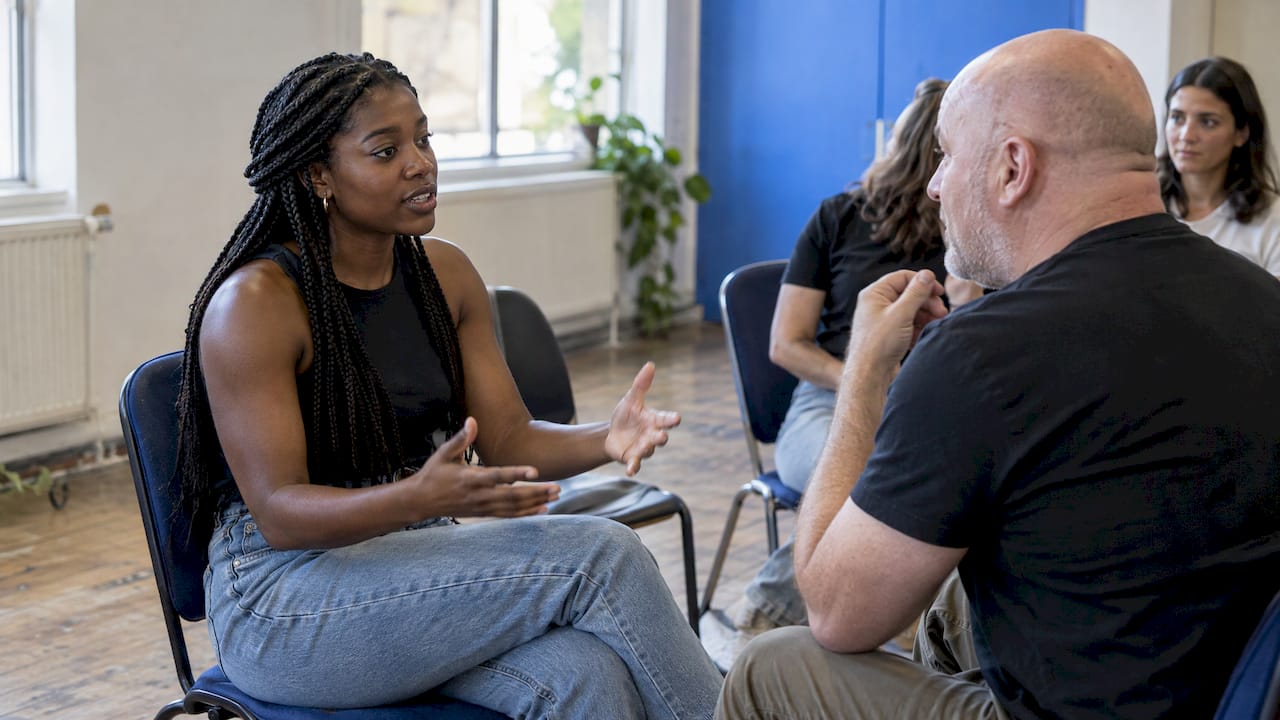
HubSpot’s guide advises posting often, replying to comments and messages, and using Groups to build authentic connections rather than to sell. Buffer notes that replying genuinely and asking follow-up questions keeps conversations going and builds community. When someone comments, answer with a question of your own. It signals that a real person is there, and it gives the commenter a reason to come back.
For a deeper look at turning casual followers into an active community, see our walkthrough on step by step fan engagement.
Use Groups to help, not to sell
Relevant Facebook Groups let you tap into communities that already exist. Vantr’s guide says this works as long as you respect each group’s rules and culture rather than spamming. Answer questions, share genuinely useful tips, and let people click through to your Page because they liked what you said.
Send traffic from your other channels
Your existing audience is the cheapest source of followers. HubSpot recommends promoting your Page through your website, email and other social platforms. SocialPilot’s overview adds that you can invite people to follow, use website links, publish regularly, add video, collaborate and watch your analytics.
Practical ways to do this:
- Add a Facebook link to your email signature and newsletter footer.
- Mention your Page in the description of every video you publish elsewhere.
- Collaborate with creators in a nearby niche and appear in each other’s content.
- Pin a post that explains what the Page offers and what your schedule is.
If you also grow audiences on other networks, our guide to growing followers fast with proven strategies shows how to apply the same ideas across platforms.
Track what works with Insights
Guessing is slow. Facebook Insights shows follower growth trends, post engagement rates, organic reach and audience demographics, which helps you see which content resonates. Buffer also recommends watching engagement rates and follower growth regularly so your content decisions are based on data.
A monthly review takes about 20 minutes:
- List your five best posts by comments and shares.
- Note what they have in common: format, topic, length, time of day.
- Make more of that, and cut the format that consistently underperforms.
- Check where new followers came from, and do more of whatever sent them.
The same thinking applies to any platform where you earn. Our piece on analytics for streaming creators shows how to read numbers in terms of revenue, not just reach.
Can you get 1,000 followers fast?
It depends on your niche, your content and how much of your existing audience you can bring over, and nobody can promise a number or a date. What research does support is the shape of growth. Socialinsider describes Facebook growth as a compounding process: treat each post as an experiment to find which content pillars and formats resonate, and only then increase how often you post.
In practice, the fastest honest route looks like this:
- Launch with a complete Page and at least a handful of posts.
- Bring in your existing audience through email, your website and other channels.
- Publish Reels in a focused niche so Facebook can recommend you to non-followers.
- Reply to every comment in the first hours after posting.
- Double down on what works after a month of data.
Slow starts are normal. A Page with 300 engaged people is worth more than one with 3,000 who never see or react to your posts.
Why buying followers backfires
Results for this topic are full of services selling followers for a dollar or two. Skip them. Meta’s Community Standards on spam forbid buying, selling or exchanging platform assets such as accounts, Pages or administrative roles, and prohibit deceptive practices. Meta also does not allow content designed to artificially increase viewership, which it says detracts from authentic engagement.
Beyond the rules, there is a simple practical problem: purchased followers don’t comment, share or buy. They dilute your engagement rate and tell you nothing true about your content. If your goal is income, they are worth nothing.
Our perspective: followers are a doorway, not the destination
We see the same pattern with creators every day: a big social following feels like success, but the platform you grow on owns the relationship. A change to the algorithm or a restriction on your account can shrink your reach overnight.
That is why we think of Facebook as a place to be discovered, not a place to depend on. Use it to show your personality, build trust and invite people to the place where your relationship with them is yours.
Fanspicy is built for that second step. Creators can sell subscriptions, exclusive content, paid posts, private messages, live streams and bundles, and receive tips, all in one place. Our positioning is simple: creators keep a higher share of their earnings, own their audience directly, and can migrate content from other platforms without starting from zero.
Creators don’t pay fees to join or use Fanspicy. The platform takes a percentage commission per transaction, so we only succeed when you do. That alignment is what we believe a creator-economy platform should offer.
fan
Turn followers into fans who support you
Once your Facebook audience starts to grow, give people somewhere to go next. If you create content for adults, Fanspicy gives you a home for it: subscriptions, exclusive content, paid posts, private messages and live streams, plus tips from fans, with no fee to join. Your Facebook Page, Reels and Groups handle discovery, and Fanspicy handles the relationship and the revenue.
If you’re ready to see how it works, become a creator on Fanspicy or explore the Fanspicy platform. For ideas on what to publish once fans arrive, start with our list of the best content creation ideas for adult creators, then learn how to attract viewers and use promotional tactics to boost subscriber growth.
FAQ
Is a Facebook Page or professional mode better for growing followers?
A Page is the usual choice for creators and brands because it offers advertising tools and analytics and supports unlimited followers. Professional mode suits people who want to keep their existing profile and still add public followers and a dashboard. Pick the Page if you want a clean separation from your personal life.
How often should I post to gain followers?
Post as often as you can sustain, whether that is daily or weekly. Consistency and relevance matter more than raw volume. Start with about three posts a week, then use Insights to see what works before you increase.
What type of content gets the most new followers?
Original, shareable content does best, and Reels have an edge because Facebook recommends them to people who don’t follow you. Useful how-tos, satisfying processes, relatable humor and community stories travel well. Check your own Insights to see which formats your audience prefers.
Is it safe to buy Facebook followers?
No. Meta’s spam policy prohibits buying, selling or exchanging platform assets and content meant to artificially inflate viewership. Purchased followers also don’t engage, so they won’t help your reach or your income.
Sources
- Facebook Page creation and unlimited followers (Postbase)
- Facebook Pages as a public tool (Hachette author resources)
- How to create a Meta account and Page (Zeely Help Center)
- What Is Professional Mode on Facebook? (Bulkoid)
- Facebook friends and followers differences (MakeUseOf)
- Converting a Facebook profile to a Page (Synup)
- The Facebook Page Setup Guide (Greg Ray Marketing)
- How to win at Facebook (Hootsuite)
- How to Grow on Facebook as a Creator (Vantr)
- Finding and sharing Reels on Facebook (Brands PH)
- How to Get More Followers on Facebook (Buffer)
- Facebook Growth Strategy: A Practical 2026 Guide (Socialinsider)
- 21 Ways To Get More Followers on Facebook (HubSpot)
- What is a Facebook Business Page? (SocialPilot)
- Spam policy (Meta Transparency Center)