

目录
DM means direct message. On Instagram, a DM is a private message you send to one person or a small group, and it lands in their inbox instead of on a public post. So when someone says “DM me,” they are asking you to message them privately, and “check your DMs” means a message is waiting for you. This guide explains what a DM is, how it differs from a comment, how to send and find one, and why creators lean on DMs to build real relationships with their audience.
TL;DR
- DM = direct message. It is a private conversation that only the sender and the recipient (or the members of a group chat) can see.
- Comments are public, DMs are not. A comment sits under a post for anyone to read, while a DM stays inside one conversation.
- Messages from people you don’t follow go to Requests. Until accepted, they are text-only, and the sender can’t tell whether you have read them.
- You can send much more than text: photos, videos, voice notes, GIFs, stickers, shared posts and Reels, and more.
- For creators, DMs are where relationships form. That is why we built private messaging into Fanspicy as a core way to connect with fans.
目录
- What DM means, in plain words
- How a DM differs from a comment or a public post
- How to send a DM on Instagram
- What happens when you DM someone
- How to find and see your DMs
- What you can send in an Instagram DM
- DM slang you will see online
- Privacy and safety in your DMs
- Why DMs matter for creators and brands
- Our perspective: a DM is more than a message
- Turn your DMs into a creator business
- 常见问题
- Sources
What DM means, in plain words
“DM” is short for direct message. The Cambridge English Dictionary defines it as a private message sent on a social media website that only the person it is sent to can see. That definition holds across platforms, and Instagram is simply the place where most people first meet the term.
You will see “DM” used two ways:
- As a noun: “I sent you a DM.” It refers to the message itself.
- As a verb: “DM me your order number.” It means to send that message.
You may also run into “PM,” short for private message. Buffer’s social media glossary notes that PM and DM mean the same thing.
Instagram’s own feature was originally called Instagram Direct. According to InstantDM’s 2026 guide, it launched on December 12, 2013, as a way to send a photo or video to specific friends instead of all your followers. Today it is a full messaging inbox built into the app.
How a DM differs from a comment or a public post
The core difference is who can see it. A comment is public and tied to the original post, so anyone who views that post can read it. A DM is private and visible only to the people in that specific conversation, as SocialEZ’s glossary explains.
Here is a quick comparison:
| Public comment | Story reply | DM | |
|---|---|---|---|
| Who can see it | Anyone viewing the post | The person who posted the Story | Only people in the conversation |
| Where it appears | Under the post | In the poster’s inbox | In the inbox |
| Best for | Quick reactions, public questions | Reacting to a Story | Personal questions, bookings, support, outreach |
Story replies deserve a note. According to inDM’s guide, when someone taps reply on your Story, that reply is a DM that lands in your inbox like any other message. So a Story reply is, technically, a DM that started from a Story.
This is why so much real activity happens in DMs. Inrō’s overview points out that DMs are the only part of Instagram that works like a normal messaging app, so questions, bookings and purchases tend to be settled there rather than in the comments.
How to send a DM on Instagram
The exact icons shift as Instagram updates its app, but the flow is consistent:
- Open the app and go to the person’s profile. Search for their username or tap their name from a post.
- Tap Message. This opens a conversation thread. If you don’t see a Message button, you can also open your inbox and start a new message from there.
- Write your message. Add text, or tap the camera, photo, microphone or GIF icons to attach media.
- Send it. The message appears in their inbox or, if they don’t follow you, in their message requests.
You can also DM straight from content. According to Tattwatech’s feature guide, you can share a post or Reel into a DM thread by tapping the share icon under it, and you can reply to a friend’s visible Story to send a message directly into their DMs.
Tips for a first message
- Be specific. “Loved your recent Reel about meal prep, how long does it take you?” beats “hey.”
- Lead with context. Say who you are and why you are writing.
- Don’t send repeated messages. One clear message is more respectful than several.
This matters because a cold message is easy to miss. inDM’s guide explains that a message following earned engagement, such as a comment or a Story reply, opens far more reliably than a cold one, since the other person reached out first.
What happens when you DM someone
Where your message lands depends on whether the person follows you.
If they follow you, or you have chatted before, it goes to their main inbox. ManyChat’s guide notes that messages from people you follow or have chatted with go to your main inbox, while everyone else’s land in Requests.
If they don’t follow you, your message becomes a message request. MakeUseOf explains that it appears separately from the main inbox, and the recipient has to accept it before it moves to their Messages.
A few things follow from that:
- You can’t tell if it was read. The message is not marked as read until the person accepts it, so it may be unread rather than ignored, per Inrō.
- Requests are text-only. The Verge reported in August 2023 that Instagram lets users you don’t follow send one text-only invitation before chatting. That change was meant to make unwanted request spam harder.
- The recipient stays in control. They can accept, delete or ignore a request without the sender knowing they have seen it.
Unsend versus delete
Inrō notes that unsend removes a message for both people, while deleting a conversation only clears your own copy. If you sent something by mistake, unsend it quickly. Deleting the thread afterward won’t remove it from the other person’s inbox.
How to find and see your DMs
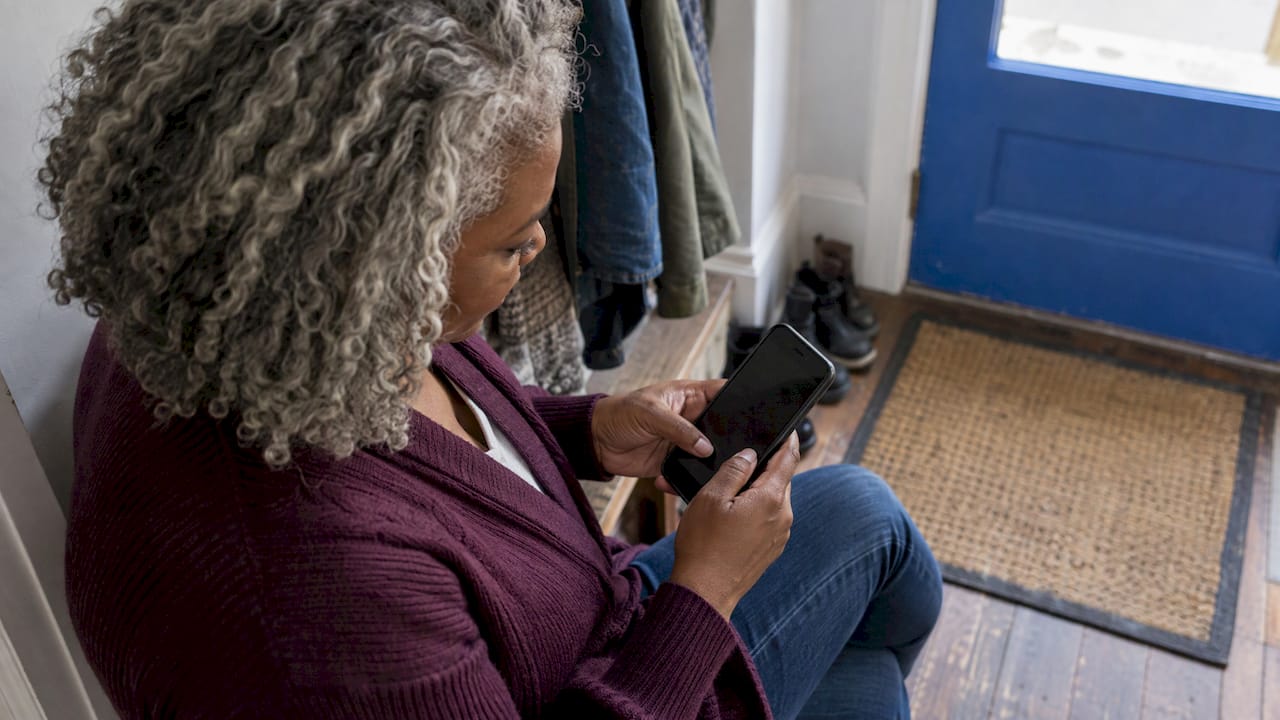
To check your messages, tap Messages at the bottom of the app to open your inbox, then tap Requests for messages from people you don’t follow, as Untweeps’ walkthrough describes. Your chats list shows ongoing conversations, with notes along the top.
Two more places are worth knowing about:
- Primary and General tabs. Professional accounts split incoming messages between Primary and General, and Inrō reports that notifications are off by default on General. A message from someone new can therefore sit unread for a long time.
- Hidden Requests. Instagram routes anything it suspects is spam into a Hidden Requests folder. It is usually right, but if you rely on inbound messages, glance in there now and then.
If you run a creator or business account, check all three spots. Missing a real fan message because it sat in General is an avoidable loss.
What you can send in an Instagram DM
A DM is no longer just text. According to ManyChat’s guide, you can send:
- Text messages
- Photos and videos from your camera roll or taken in the moment
- Voice notes
- GIFs and stickers
- Reactions and polls
- Shared posts, Reels and Stories
- Disappearing photos and videos
Group chats can include up to 250 people, per the same guide.
Other details worth knowing:
- Voice notes can be up to one minute long, according to Social Champ.
- Disappearing media can be viewable once or twice, or kept in the chat permanently, per Social Champ.
- Vanish Mode sends messages that disappear once viewed and the chat is closed. The Verge reported at launch that it works only in one-on-one chats, not group threads.
- Scheduling and pinning. As of February 2025, Instagram added scheduled DMs up to 29 days ahead, pinning up to three messages to the top of a chat, native music sharing and translation in 99 languages.
- Calls. Tattwatech lists built-in voice and video calling, with video calls supporting up to 8 people.
DM slang you will see online
The term has grown its own vocabulary.
- “DM me” means message me privately.
- “Check your DMs” means I have sent you something.
- “Slide into your DMs” refers to an unexpected private message sent to get someone’s attention. MakeUseOf notes it is most typical in the online dating world.
- “Comment a word, get the link” is an automated DM. inDM’s guide says a Business or Creator account can send one automatic private reply to a comment on its post or Reel, limited to one per comment within 7 days.
Platform names vary slightly. Sendible notes that Instagram, X and Facebook use “DM” or “Messages,” while LinkedIn simply calls them “Messages.”
Privacy and safety in your DMs
Private does not mean invisible to the platform. The Guardian reported that Meta announced end-to-end encryption would no longer be available on Instagram direct messages from 8 May 2026, meaning Meta can see message contents. Engadget reported the same change, citing low adoption.
In practice, that means a sensible approach:
- Treat DMs as private from other users, not from the platform. Don’t send anything you would be unhappy to see exposed.
- Never share passwords, payment details or ID photos in a DM, especially with someone new.
- Be wary of unexpected links. Requests from strangers that push you to click or pay quickly are a red flag. Delete them, and report the account.
- Remember that screenshots exist. Inrō notes that screenshots are only announced in Vanish Mode and disappearing media, never in a normal thread.
If you share personal content online, privacy habits matter even more. Our guides on essential privacy tips for fan sites 和 staying safe online as a creator cover the basics in more depth.
Why DMs matter for creators and brands
For everyday users, a DM is a way to chat. For creators, it is where an audience becomes a community. Buffer’s team says DMs give people a more intimate and personal way to connect, which builds trust and authenticity. Sendible adds that knowing when to move a conversation from public to private can prevent miscommunication and strengthen relationships with followers.
There is a practical side too. Creators use DMs to answer questions, deliver resources and nurture relationships that comments can’t replicate, according to ManyChat. If you want to go deeper on the strategy, our piece on the role of DMs in paid sites shows how private conversations drive engagement, and our guide to social media content marketing for creators shows how public posts feed them.
Our perspective: a DM is more than a message
We see the DM as the most valuable space in the creator economy. A public post reaches many people briefly. A private conversation reaches one person deeply, and that is where loyalty is built.
That is why private messages are a core part of how Fanspicy works. Creators can talk with fans one on one, send paid messages, and turn a conversation into a subscription, a bundle or a tip. Every one of those exchanges happens on a platform designed around the creator’s earnings and direct audience ownership.
Social apps are great for discoverability. But if your audience lives only inside someone else’s inbox rules, with requests folders, hidden filters and sudden policy shifts, your relationship with fans is always one setting away from going quiet. We believe creators deserve a home where the conversation, the content and the payout all sit together, and where moving over from other platforms is easy.
fan
Turn your DMs into a creator business
If you already know your way around Instagram DMs, you already know the power of a direct line to your audience. Fanspicy is a paid social media and live cam platform where independent creators sell subscriptions, exclusive content, paid posts and private messages, host live streams, and receive tips from fans. Creators don’t pay fees to join or use the platform, and Fanspicy takes a percentage commission per transaction.
Ready to try it? Explore private messages, subscriptions and live streams on Fanspicy, or see how exclusive content, tips and paid posts work for creators. If you are coming from another platform, our approach is designed to make migrating your content straightforward.
常见问题
What does DM stand for on Instagram?
DM stands for direct message. It is a private message between you and one other person, or a small group, that only those people can see. It is the opposite of a public comment under a post.
How do I DM someone on Instagram?
Open their profile and tap Message, then type your text or attach a photo, video, voice note or GIF and send it. You can also start a new message from your inbox. If they don’t follow you, it arrives as a text-only message request.
What happens when you DM someone who doesn’t follow you?
Your message goes to their Requests folder instead of their main inbox. They have to accept it before the conversation opens, and it isn’t marked as read until they do. They can also delete or ignore it without you knowing they saw it.
How do I see my Instagram DMs?
Tap Messages at the bottom of the app to open your inbox. Then tap Requests to find messages from people you don’t follow. Professional accounts should also check the General tab and the Hidden Requests folder.
Is there a difference between a DM and a PM?
No. PM stands for private message, and it means the same thing as DM. DM is simply the more common term on Instagram and other social platforms.
Sources
- DM | Cambridge English Dictionary
- What Does DM Mean on Instagram? (InstantDM)
- What is a DM? (Buffer)
- Direct Message (DM) (SocialEZ)
- What are Instagram DMs (inDM)
- What Are Instagram Direct Messages? (Inrō)
- Instagram Messages: The Complete Guide (Tattwatech)
- What is Instagram Direct Messenger? (ManyChat)
- What Is a DM? (MakeUseOf)
- Instagram now makes you ask for permission to DM someone (The Verge)
- How to check DMs on Instagram (Untweeps)
- Communicate & Engage With Instagram Messages (Social Champ)
- Vanish Mode on Messenger and Instagram (The Verge)
- Instagram will now let you schedule and pin DMs (The Verge)
- What Does DM Mean on Social Media? (Sendible)
- Instagram to remove end-to-end encryption (The Guardian)
- Meta is killing end-to-end encryption in Instagram DMs (Engadget)