

目录
TL;DR:
- Live video streaming involves capturing, compressing, and transmitting audio and video in real time. Each pipeline stage affects the quality, with weak links causing stream failures, and adaptive bitrate streaming helps prevent buffering for viewers with fluctuating internet speeds.
Live video streaming is the process of capturing audio and video in real time, compressing that data, transmitting it across the internet, and decoding it on a viewer’s device within seconds. Understanding how does live video streaming work gives you direct control over every variable that affects your broadcast quality. The full pipeline runs through six distinct stages: capture, encoding, ingest, transcoding, packaging and delivery, and playback. Each stage introduces its own variables, and a weak link at any point degrades the entire stream. Codecs like H.264 for video and AAC for audio sit at the core of this process, compressing raw data into formats that internet infrastructure can actually move.
How does live video streaming work at each pipeline stage?
Live video streaming runs through a five to six stage pipeline that begins the moment you press “go live” and ends when a viewer’s player renders the image on screen. Each stage has a specific job, and skipping or misconfiguring any one of them causes problems downstream.
1. Capture
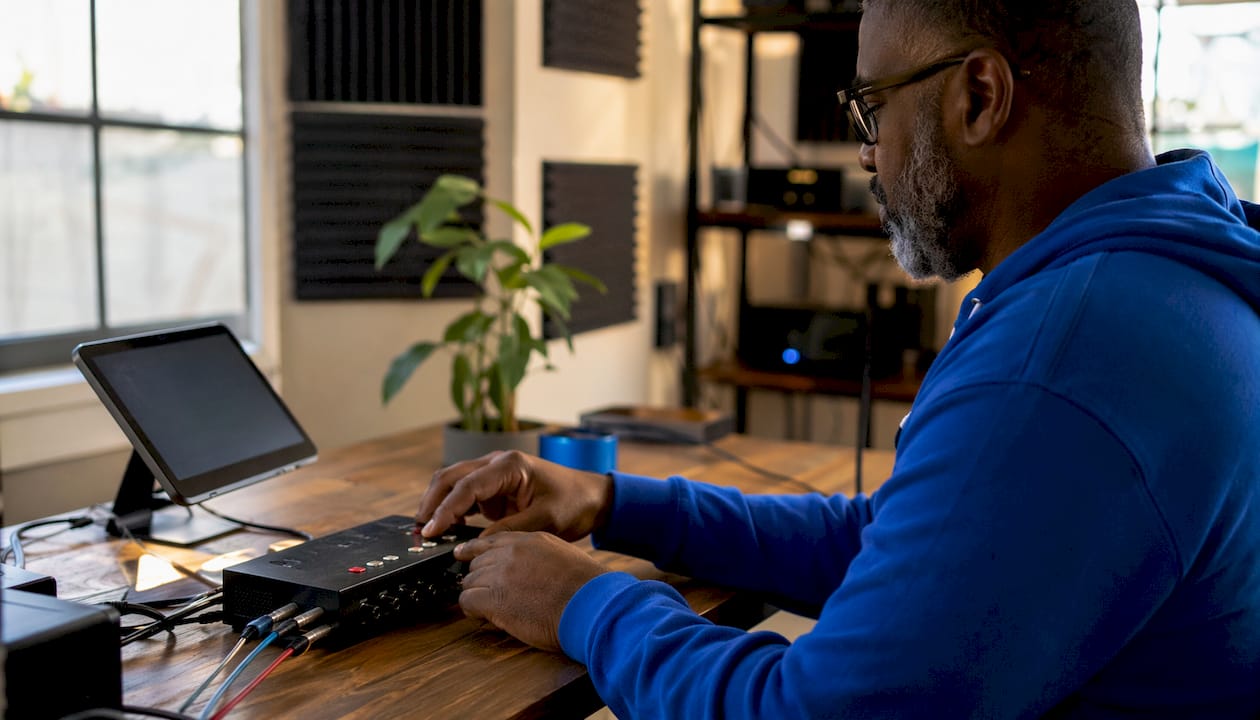
Your camera and microphone record raw audio and video. This raw feed is uncompressed and enormous in file size. A single second of uncompressed 1080p video at 30 frames per second can exceed 1 gigabyte of data.
2. Encoding
A software or hardware encoder compresses the raw feed using a codec. H.264 is the industry standard for video, and AAC handles audio. The encoder reduces file size dramatically while preserving enough visual detail for a watchable stream. Your encoder settings, including resolution, frame rate, and bitrate, determine the ceiling of your stream quality.
3. Ingest
The encoded stream travels from your encoder to a streaming server using an ingest protocol. RTMP (Real-Time Messaging Protocol) has been the default for years. SRT (Secure Reliable Transport) is a newer alternative built for unstable connections. The server receives your stream and prepares it for the next stage.
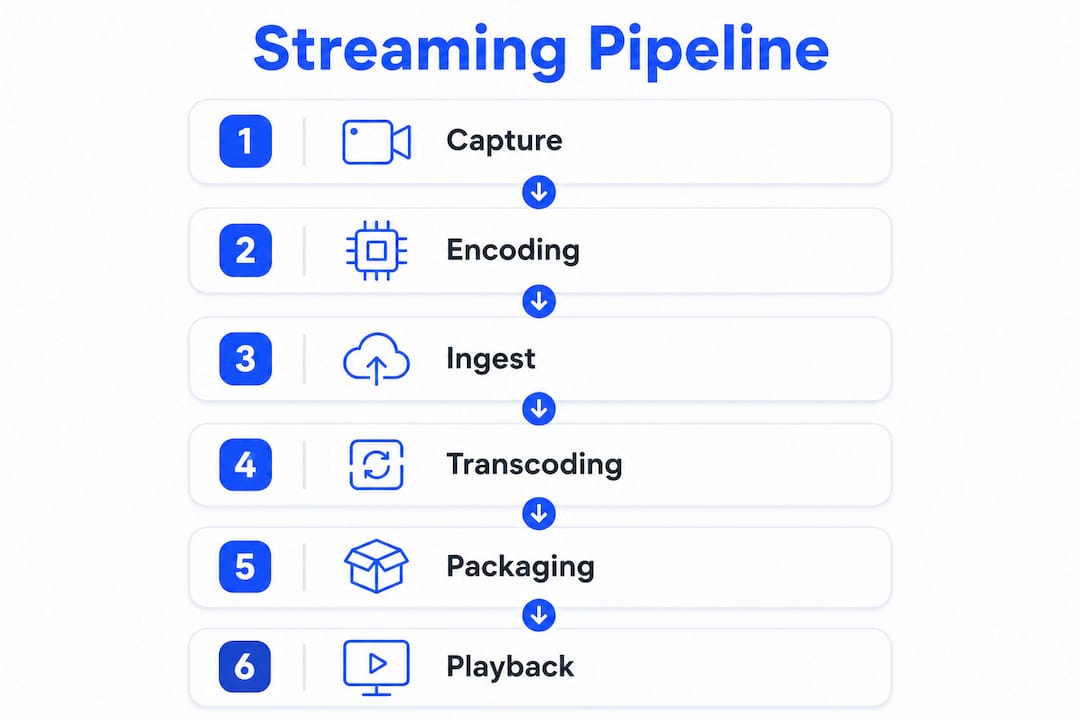
4. Transcoding
The streaming server takes your single encoded stream and creates multiple versions at different resolutions and bitrates. This step produces a “bitrate ladder,” such as 1080p, 720p, 480p, and 360p renditions. Transcoding is what makes adaptive streaming possible.
5. Packaging and delivery
The transcoded renditions get broken into short video segments, typically 2–6 second chunks, using a delivery format like HLS (HTTP Live Streaming). A Content Delivery Network (CDN) then distributes these segments from servers located close to your viewers worldwide. CDNs reduce the physical distance data must travel, which cuts latency and handles audience scale.
6. Playback
The viewer’s player downloads segments, decodes them, and renders the video. The player monitors connection speed in real time and switches between renditions as needed. This switching is invisible to the viewer when it works correctly.
专业提示 Run a full end-to-end test stream at least 30 minutes before going live. Check your encoder stats, monitor the ingest server dashboard, and watch the stream on a separate device to catch any stage-specific issues before your audience arrives.
How does adaptive bitrate streaming improve the viewer experience?
Adaptive bitrate (ABR) streaming is the mechanism that prevents buffering when a viewer’s internet connection fluctuates. Without ABR, every viewer receives the same fixed-quality stream regardless of their bandwidth. With ABR, the player selects the best available rendition for each viewer’s current conditions.
The transcoding stage creates the renditions that ABR depends on. A typical bitrate ladder might include:
- 1080p at 6,000 kbps for viewers on fast broadband connections
- 720p at 3,000 kbps for average home internet speeds
- 480p at 1,500 kbps for mobile connections or congested networks
- 360p at 800 kbps for very slow or unstable connections
The viewer’s player measures download speed every few seconds. When speed drops, the player switches down to a lower rendition. When speed recovers, it switches back up. Up to 75% of viewers with fluctuating internet still enjoy a buffer-free experience because of ABR. That number matters because most of your audience is not on a stable fiber connection.
ABR does introduce a trade-off. The player needs a buffer of a few segments before it can switch cleanly. That buffer adds latency. Streams using standard HLS with ABR typically carry 5–15 seconds of delay between what you say and what your viewer hears. For most content formats, that delay is acceptable. For highly interactive formats where viewer chat responses matter in real time, it becomes a real constraint worth planning around.
Creators who want to reach the widest possible audience should always enable ABR on their platform. Excluding low-bitrate renditions means excluding viewers on slower connections entirely.
What technical pitfalls cause live streams to fail?
The most common mistake new streamers make is assuming “live” means zero delay. Live streaming always involves latency. The goal is not to eliminate it but to manage it within a range that fits your content type.
The weak link principle explains most broadcast failures. Your stream quality is only as good as its worst component. A high-end camera connected to an underpowered laptop encoder, running on a congested home network, will produce a worse stream than a mid-range camera on a dedicated encoding machine with a stable upload connection. The common pitfalls break down like this:
- Insufficient upload bandwidth. Your encoder bitrate must stay below roughly 80% of your available upload speed. Pushing your connection to its limit causes packet loss and dropped frames.
- Underpowered encoding hardware. Software encoding is CPU-intensive. If your CPU cannot keep up, the encoder drops frames to compensate, and your stream stutters.
- Mismatched bitrate ladder. If your encoder outputs a bitrate that does not match the transcoding server’s expected profiles, ABR switching breaks down, and viewers experience constant buffering instead of smooth quality transitions.
- Skipping pre-stream testing. Every stage from capture to playback needs verification before going live. A single misconfigured audio input or wrong server URL ends the stream before it starts.
For creators working in the adult content space, where live streaming for adults requires both technical reliability and platform compliance, these pitfalls carry extra weight. A dropped stream mid-session costs you both revenue and audience trust.
专业提示 Use a wired ethernet connection instead of Wi-Fi for your encoder machine. Wi-Fi introduces packet loss and speed variance that no encoder setting can fully compensate for.
How do streaming protocols affect latency and quality?
The protocol you use for ingest and delivery directly determines how much latency your viewers experience and how stable your stream stays under pressure.
| Protocol | Role | Typical Latency | Best Use Case |
|---|---|---|---|
| RTMP | Ingest | 1–5 seconds to server | Stable broadband connections |
| SRT | Ingest | 1–5 seconds to server | Unstable or remote connections |
| HLS | Delivery | 15–30 seconds (standard) | Large-scale audiences |
| Low-Latency HLS | Delivery | 2–5 seconds | Interactive broadcasts |
| WebRTC | Delivery | 300–500 milliseconds | Real-time interactive streams |
RTMP remains the most widely supported ingest protocol. Nearly every streaming platform accepts RTMP from encoders like OBS Studio or hardware encoders. It works reliably on good networks. SRT adds error recovery and encryption, making it the better choice when you are streaming from a location with unpredictable internet, such as a hotel, event venue, or mobile connection.
On the delivery side, HLS dominates because it works over standard HTTP infrastructure and scales to millions of viewers through CDNs. Standard HLS latency runs 15–30 seconds. Low-latency HLS variants bring that down to 2–5 seconds by reducing segment duration and using push-based delivery.
WebRTC delivers sub-second latency, typically in the 300–500 millisecond range. That makes it ideal for one-on-one video calls, interactive cam sessions, and formats where viewer input must reach the creator almost instantly. The trade-off is scale. WebRTC does not distribute efficiently through CDNs, so it struggles when audience size grows into the thousands.
Understanding real-time streaming at the protocol level lets you match your technical setup to your actual content goals rather than defaulting to whatever a platform configures by default.
Key Takeaways
Live video streaming works through a six-stage pipeline where every component, from your encoder settings to your CDN configuration, directly determines what your viewer sees and hears.
| Point | Details |
|---|---|
| Six-stage pipeline | Capture, encoding, ingest, transcoding, packaging, and playback each affect final stream quality. |
| Adaptive bitrate streaming | ABR switches between quality renditions automatically, keeping up to 75% of viewers buffer-free. |
| Latency is unavoidable | Standard HLS delivers 15–30 seconds of delay; low-latency HLS cuts this to 2–5 seconds. |
| Weak link principle | One failing component, whether bandwidth or CPU, degrades the entire broadcast. |
| Protocol choice matters | RTMP and SRT handle ingest; HLS scales delivery; WebRTC achieves sub-second latency for interactive streams. |
What I’ve learned from watching creators ignore the pipeline
Most creators I’ve seen struggle with live streaming share one blind spot: they treat the stream as a single thing rather than a chain of connected stages. They upgrade their camera when the real problem is their upload speed. They chase lower latency when their audience is on mobile connections that need ABR stability far more than they need a two-second delay reduction.
The insight that changed how I think about streaming setups is simple. A stable, consistent stream at 720p beats an unstable 1080p stream every single time. Viewers tolerate lower resolution. They do not tolerate buffering, dropped audio, or a stream that cuts out mid-sentence. Reliability is the product. Resolution is a bonus.
Testing is the part most creators skip because it feels tedious. Running a full test stream, watching it on a separate device, and checking encoder stats for dropped frames takes maybe 30 minutes. That 30 minutes has saved more broadcasts than any equipment upgrade I can name. Check your broadcast setup before every session, not just when something goes wrong.
One more thing worth saying directly: WebRTC is genuinely exciting for interactive formats, but most creators do not need sub-second latency. They need a stream that does not drop. Prioritize the boring fundamentals first. Bitrate ladder, stable upload, matched encoder settings, and CDN delivery. Get those right, and the creative side of streaming becomes much easier to focus on.
— fan
Fanspicy makes professional live streaming accessible
Building a reliable live streaming pipeline from scratch requires managing transcoding servers, CDN configuration, and playback embedding. Fanspicy handles that infrastructure so creators can focus on their content rather than their server settings.
Fanspicy’s platform covers the full delivery chain, from ingest to CDN distribution to viewer playback, with built-in support for adaptive bitrate streaming. Creators on Fanspicy get professional-grade streaming without needing to configure a single server. Whether you are building a paid content channel or running live cam sessions, the technical foundation is already in place. Fanspicy is built for creators who want reliable broadcasts and a direct monetization path from day one.
常见问题
What is live streaming content?
Live streaming content is audio and video broadcast to viewers in real time over the internet, with playback beginning as data arrives rather than after a full file downloads.
How much delay does a live stream have?
Standard HLS streaming introduces 15–30 seconds of latency between broadcast and viewer playback. Low-latency HLS reduces this to 2–5 seconds, and WebRTC achieves 300–500 milliseconds for interactive formats.
What codec does live streaming use?
H.264 is the standard video codec for live streaming, paired with AAC for audio. Both codecs compress raw media into sizes that internet infrastructure can transmit reliably.
Why does my live stream buffer for viewers?
Buffering usually results from a mismatch between your encoder’s output bitrate and the viewer’s available bandwidth, or from a misconfigured bitrate ladder that prevents smooth adaptive quality switching.
What is the difference between RTMP and SRT?
RTMP is the traditional ingest protocol that works reliably on stable broadband connections. SRT adds error recovery and encryption, making it the better choice for streaming over unstable or public internet connections.