

Зміст
Start marketing on Instagram by converting to a Business account, setting one measurable goal, and publishing a Reel this week. Those three moves unlock analytics, establish a performance baseline, and put your content in front of non-followers immediately through Instagram’s Reels tab and Explore feed.
Here’s why each action matters:
- Switch to a Business or Creator account. You get access to Instagram Insights, Meta Ads Manager, contact buttons, and the ability to run paid campaigns. HubSpot’s Instagram marketing guide confirms this is the foundational step before any other optimization.
- Set one measurable goal. Pick a single North Star metric for your first 30 days: follower growth, profile visits, or link clicks. Vague intentions produce vague results.
- Publish a 30–60 second Reel. Reels are the primary discovery engine on Instagram, distributed to non-followers via the Reels tab and Explore. No other format gives a new account this much organic reach from day one.
Sprout Social’s small-business guide and Meta Ads Manager are the two platform authorities you’ll return to repeatedly as your strategy matures. The sections below walk through every step in sequence, from profile setup to paid ads to ROI measurement.
Порада професіонала: Before you post anything, add a searchable keyword to your Instagram name field (not just your username). That single change improves discoverability in Instagram search immediately.
Key Takeaways
A consistent Instagram marketing strategy built on Reels, UTM-tracked links, and a searchable profile produces compounding growth that vanity-metric chasing never will.
| Point | Details |
|---|---|
| Start with three actions | Switch to a Business account, add a name-field keyword, and post your first Reel this week. |
| Post 3–5 times per week | Buffer’s analysis found this cadence grows followers roughly twice as fast as posting 1–2 times weekly. |
| Use UTM parameters on every link | UTMs connect Instagram activity to real business outcomes like revenue and email signups, not just platform metrics. |
| Prioritize saves and shares over likes | The algorithm weights saves and shares most heavily; optimizing for them drives algorithmic distribution. |
| Batch content to sustain cadence | Film five to eight Reels in one session every two weeks to maintain consistency without burnout. |
Зміст
- Your quick-start checklist: what to do in week 1, month 1, and month 3
- How do you define goals and KPIs for Instagram marketing?
- How do you optimize your Instagram profile to rank and convert?
- What content formats actually work on Instagram in 2026?
- How does Instagram SEO work for captions, hashtags, and alt text?
- How do you build a content calendar and batch your posts efficiently?
- What organic growth tactics actually build a real Instagram community?
- How do you find and work with Instagram creators effectively?
- How do you set up Instagram ads in Meta Ads Manager?
- How do you set up Instagram Shopping and turn discovery into purchases?
- How do you measure Instagram ROI and prove it with UTM tracking?
- Brand safety, legal compliance, and FTC disclosure basics
- Common Instagram marketing mistakes and how to fix them fast
- What we’ve seen work for creator-led brands on Instagram
- Sources
Your quick-start checklist: what to do in week 1, month 1, and month 3
Getting the sequence right saves weeks of backtracking. The timeline below is built around what actually moves the needle at each stage, not what looks impressive on a strategy deck.
Week 1: account setup and your first campaign
- Switch to a Business or Creator account (Settings → Account → Switch to Professional Account).
- Add a keyword to your name field (e.g., “Sarah | Fitness Coach” not just “Sarah”).
- Write a bio using this formula: one-line value proposition + CTA + branded hashtag + link.
- Set up a link-in-bio landing page (Linktree, Start Page, or a dedicated URL) with UTM parameters on every link.
- Define one measurable goal and its primary KPI (e.g., “100 profile visits per week” or “50 link clicks per week”).
- Film and post your first Reel.
Three mistakes to avoid at setup:
- Don’t skip the name-field keyword. It’s searchable; your username alone is not.
- Don’t connect your ad account before you have at least two weeks of organic data. You need baseline engagement rates to build effective lookalike audiences.
- Don’t set five goals simultaneously. One North Star metric per campaign keeps measurement clean.
Порада професіонала: Batch your first two weeks of content before you go live. Publishing consistently from day one signals reliability to the algorithm, and you won’t scramble for ideas mid-week.
How do you define goals and KPIs for Instagram marketing?
Every post and ad should trace back to a business outcome. The most common failure in Instagram marketing isn’t bad creative; it’s a strategy built around activity (posts per week) rather than outcomes (leads generated, revenue attributed).
Use this three-column framework to connect business aims to trackable metrics:
| Business Goal | Primary KPI (North Star) | Supporting KPIs |
|---|---|---|
| Brand awareness | Reach / impressions | Profile visits, follower growth rate |
| Lead generation | Link clicks / email signups | Profile conversion rate, Story swipe-ups |
| Direct sales | Purchases / revenue | Shopping interactions, ROAS from ads |
| Community building | Saves + shares per post | Comments, DM volume, Story replies |
Pick one primary KPI per campaign. Tracking everything at once means optimizing for nothing.
For audience definition, start with three inputs:
- Existing customer data. Pull your CRM or email list and identify the demographics, interests, and behaviors of your best customers.
- Instagram Insights. Once your account has 100+ followers, Insights shows age, gender, location, and active hours for your current audience.
- Statista’s Instagram demographic data і Pew Research Center’s social media fact sheet give you U.S.-level context on who uses Instagram and how often, which helps validate whether your target audience is actually on the platform in meaningful numbers.
From those inputs, build one or two audience personas. Keep each persona to a single page: age range, job or lifestyle, content they already engage with, and the problem your product or service solves for them. That persona becomes the filter for every content decision.
How do you optimize your Instagram profile to rank and convert?
Your profile is the first thing a potential follower or customer sees after clicking through from a Reel or a search result. It has roughly three seconds to communicate who you are, what you offer, and what to do next.
Switching to a Business or Creator account
A Business account unlocks Instagram Insights, CTA buttons (Book Now, Contact, Shop), access to Meta Ads Manager, and the ability to add contact information. A Creator account adds detailed follower analytics and is better suited to individual influencers. Either way, staying on a personal account means flying blind on data and locked out of ads.
Name field SEO
The name field (the bold text under your profile photo) is indexed by Instagram’s search algorithm. Your username is not. That distinction matters. If you’re a personal trainer in Chicago, “Chicago Personal Trainer | NASM Certified” in the name field will surface your profile in relevant searches. Sprout Social’s guidance confirms that treating the name field as search real estate is one of the highest-leverage profile changes you can make.
Bio formula
A high-converting bio follows this structure:
- Line 1: What you do and who you serve (value proposition).
- Line 2: Proof point or differentiator (years of experience, number of clients, a specific result).
- Line 3: CTA with a branded hashtag.
- Line 4: Link (UTM-tagged).
Приклад: Helping independent creators monetize their audience | 500+ creators coached | DM “START” for a free audit | #CreatorGrowth | [link]
Pin strategy and Highlights
Pin three posts to the top of your grid: your best-performing Reel, a product or service explainer, and a social-proof post (testimonials, press mentions, results). Highlights function as a persistent navigation menu. Organize them by topic (About, Services, Reviews, FAQ) and treat each as a mini landing page with a CTA at the end.
Порада професіонала: Use a UTM-tagged link for every destination in your bio and Highlights. Without UTMs, you can’t tell whether a sale came from Instagram or somewhere else.
What content formats actually work on Instagram in 2026?
Format choice is strategy. Each format serves a different role in the funnel, and mixing them deliberately produces better results than defaulting to whatever is easiest to produce.
The role of each format
Reels are the discovery engine. They reach non-followers through the Reels tab and Explore, making them the highest-leverage format for growing a new audience. Buffer’s analysis of 52 million+ posts found that Reels generate materially higher reach than static posts. Aim for 30–60 seconds, hook in the first two seconds, and burn captions into the video for viewers watching without sound.
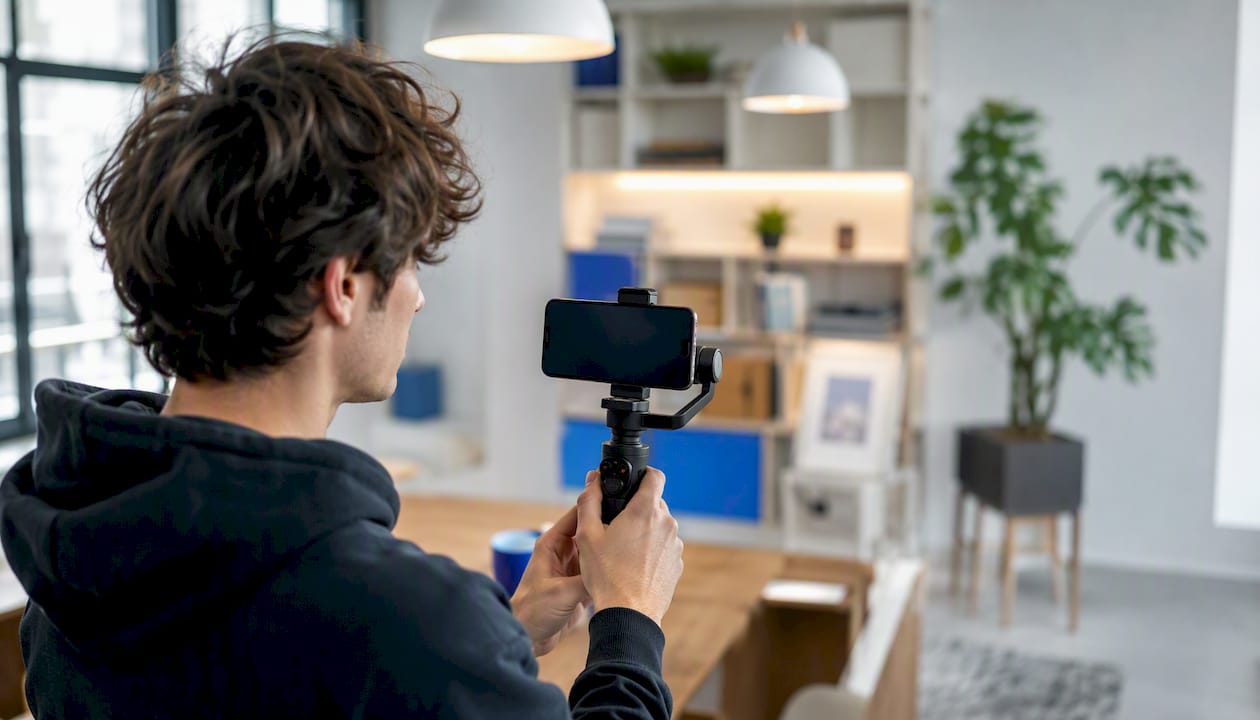
Carousels drive saves and shares, which are the engagement signals the algorithm weights most heavily. A carousel that teaches something (a tutorial, a comparison, a step-by-step process) gives viewers a reason to save it for later.
Історії are for daily presence and relationship-building. They disappear after 24 hours, which makes them low-stakes and conversational. Use polls, question stickers, and sliders to generate replies, because replies count as direct messages and push your account higher in followers’ feeds.
Live is best for events, Q&As, and product launches. It generates real-time notifications to followers and creates a sense of urgency that recorded content can’t replicate.
Recommended weekly content mix
| Format | Частота | Primary Goal |
|---|---|---|
| Reels | 2–3 per week | Discovery / reach |
| Carousels | 1–2 per week | Engagement / saves |
| Static posts | 1 per week | Brand consistency |
| Історії | Daily (5–10 frames) | Retention / community |
| Live | 1–2 per month | Events / launches |
Low-lift Reel templates
- Tutorial: “How to [do X] in [timeframe]” — three to five steps, text overlay on each.
- Before/after: Show a transformation with a clear visual contrast.
- Behind the scenes: One minute of your actual work process, unpolished and real.
- Myth vs. fact: Three common misconceptions in your niche, corrected one by one.
For production, batch filming. Set aside one afternoon every two weeks, film five to eight Reels in sequence, edit them the same day, and schedule them out. Sprout Social’s efficiency guidance makes the case clearly: high-impact video does not require high budget, and batching is what makes a consistent cadence sustainable for lean teams.
How does Instagram SEO work for captions, hashtags, and alt text?
Instagram indexes content the same way a search engine indexes web pages. The signals it reads are your name field, caption text, alt text, and hashtags. Getting these right means your posts surface in searches and on Explore, not just in your existing followers’ feeds.
Caption structure
Lead every caption with a searchable first line. Instagram truncates captions after two to three lines in the feed, so the first sentence needs to contain your primary keyword and hook the reader into tapping “more.” A strong structure:
- Line 1: Keyword-rich hook (“5 Instagram growth mistakes killing your reach in 2025”).
- Lines 2–5: Value delivery (the actual content or context).
- Final line: Clear CTA (“Save this for your next content planning session”).
Стратегія хештегів
Three to five focused hashtags outperform 20–30 generic ones. Use a mix:
- 1–2 niche hashtags (under 500K posts): high relevance, lower competition.
- 1–2 medium hashtags (500K–2M posts): broader reach with still-manageable competition.
- 1 branded hashtag: your own tag that builds a searchable content library.
Avoid hashtags with hundreds of millions of posts. Your content disappears in seconds.
Alt text
Instagram lets you write custom alt text for every post (Advanced Settings → Write Alt Text). Most accounts skip this entirely, which is a missed opportunity. Write a one-sentence description that includes your primary keyword naturally: “A flat-lay photo of a content calendar template for Instagram marketing.” This helps both accessibility and discoverability.
On-post SEO checklist
- [ ] Keyword in the name field
- [ ] Keyword in the first line of the caption
- [ ] Three to five focused hashtags (mix of niche, medium, branded)
- [ ] Custom alt text written for every post
- [ ] Location tag added where relevant
Порада професіонала: Test two different keywords in your name field over 30-day periods and compare profile visit volume in Insights. Instagram’s search algorithm responds to name-field changes faster than most people expect.
How do you build a content calendar and batch your posts efficiently?
Consistency is the variable most correlated with Instagram growth. Buffer’s research found accounts posting 3–5 times per week grow followers about twice as fast as accounts posting 1–2 times. The operational challenge isn’t knowing that; it’s sustaining it. A batching workflow solves that.

Content calendar template
Organize your calendar around three to four content pillars. For a fitness brand, those might be: workout tutorials, nutrition tips, client results, and behind-the-scenes content. Every post maps to one pillar, which keeps the feed coherent and makes ideation faster.
| День | Format | Pillar | Status |
|---|---|---|---|
| Понеділок | Reel | Tutorial | Filmed |
| Середа | Carousel | Освіта | Scheduled |
| П'ятниця | Static post | Social proof | Draft |
| Daily | Історії | Community | Live |
Fill the calendar two weeks ahead. Use Pew Research Center’s social media data on U.S. usage patterns as a starting point for timing, then refine based on your own Insights data (which shows when your specific audience is active).
Batching workflow
- Script (30 min): Write hooks and talking points for five to eight Reels.
- Film (2–3 hours): Record all Reels in one session. Same background, same lighting setup.
- Edit (2–3 hours): Cut, add captions, add music. Use CapCut or Adobe Premiere Rush for speed.
- Caption and hashtag (1 hour): Write captions with keyword-rich first lines and CTAs.
- Schedule (30 min): Queue posts in Buffer or Sprout Social for the next two weeks.
Repurposing matrix
One long-form asset (a 10-minute YouTube video or a blog post) converts into:
- Two to three Reel clips (cut the most visual moments).
- Five carousel slides (key points as individual frames).
- Three to five Story frames (one insight per frame with a poll or question sticker).
- One caption for a static post (the article’s conclusion as a standalone insight).
Scheduling tools worth using: Buffer for simplicity and analytics, Sprout Social for team workflows and approval chains, Later for visual grid planning. For teams with brand approval requirements, Sprout Social’s approval workflow prevents off-brand posts from going live without sign-off.
What organic growth tactics actually build a real Instagram community?
Follower count is a vanity metric. The metrics that predict sustainable growth are saves, shares, profile conversion rate (profile visits that turn into follows), and DM volume. Build toward those, and follower count follows.
Engagement tactics that work
- Seed comments in the first 30 minutes after posting. Reply to every comment within the first hour. Early engagement signals to the algorithm that the post is worth distributing further.
- Use Stories interactive features daily. Polls, question stickers, and “this or that” sliders generate replies. Replies are DMs, and DMs push your account higher in followers’ feeds.
- Comment on 10–15 posts per day in your niche. Leave substantive comments (two to three sentences), not emoji responses. This surfaces your account to the poster’s audience.
- DM new followers within 24 hours. A short, genuine welcome message (not a sales pitch) starts a relationship and increases the chance they engage with future posts.
UGC playbook
User-generated content is the most credible content you can post, and it costs almost nothing to source.
- Ask for it explicitly. Add a CTA to your bio and captions: “Tag us in your results with #YourBrandTag.”
- Run a monthly contest. “Post a photo using [product] and tag us for a chance to win [prize].” Keep the barrier low.
- Get permission before reposting. DM the creator, ask for explicit permission, and credit them in the caption. This is both a legal requirement and a relationship-builder.
- Repurpose UGC across formats. A tagged photo becomes a Story reshare, a carousel slide, and a testimonial in your bio Highlights.
For creators building a paid content business, Fanspicy’s guide on promotional tactics for subscriber growth covers cross-channel UGC strategies in more depth.
Cross-promotion checklist
- Add your Instagram handle to your email signature and newsletter footer.
- Embed your Instagram feed or a follow CTA on your website.
- Cross-post Reels to other platforms (TikTok, YouTube Shorts, Pinterest) with platform-native captions.
- Mention your Instagram in podcast appearances, webinars, or live events.
- Add an Instagram follow prompt to your post-purchase email sequence.
How do you find and work with Instagram creators effectively?
Creator partnerships accelerate growth faster than most organic tactics, but only when the creator’s audience genuinely overlaps with yours.
Creator evaluation checklist
- Audience fit: Does their follower demographic match your target persona? Request a media kit or check third-party tools like Creator.co for audience data.
- Engagement rate: For micro-influencers (10K–100K followers), look for 3–6% engagement. Larger accounts typically see 1–3%.
- Content quality: Does their content style align with your brand? Would their audience trust a recommendation from them?
- Audience overlap: Use Instagram’s Collab post feature or ask the creator directly about their top audience locations and age ranges.
- Past partnerships: Review their previous sponsored posts. Do they disclose clearly? Does their audience respond positively?
Sample creator brief
A brief should fit on one page. Include:
- Deliverables: Two Reels + three Stories, posted within a 14-day window.
- Key messages: Two to three talking points (not a script).
- Usage rights: 90-day license to repurpose content in paid ads.
- UTM requirement: All links must use the UTM string you provide (e.g.,
?utm_source=instagram&utm_medium=influencer&utm_campaign=creator-name). - Disclosure requirement: “#ad” or “#sponsored” in the first line of every caption (FTC requirement).
- Timeline: Draft due 5 days before posting; approval within 48 hours.
Measuring creator campaigns
Track three metrics per creator: cost-per-acquisition (CPA) from UTM-tagged links, engagement per post (likes + comments + saves ÷ reach), and referral traffic in Google Analytics from the UTM source. After two to three campaigns, you’ll have enough data to identify which creator profiles produce the best CPA for your specific offer.
Порада професіонала: Start with micro-influencers (10K–50K followers) for your first three campaigns. The cost is lower, the audience trust is higher, and you’ll learn what messaging converts before scaling to larger creators.
For a deeper look at creator selection frameworks, Fanspicy’s adult influencer marketing guide covers evaluation criteria and brief templates in detail.
How do you set up Instagram ads in Meta Ads Manager?
Organic reach has a ceiling. Paid ads remove it. The minimal viable ad funnel in Meta Ads Manager takes about two hours to set up correctly and can run on a modest daily budget while you learn what works.
Ads setup checklist
- Connect your Instagram account to a Meta Business Suite page and link it to an Ads Manager account.
- Install the Meta Pixel on your website to track off-platform conversions.
- Choose your objective. Awareness (reach, video views), Consideration (traffic, engagement, lead generation), or Conversion (purchases, leads). Match the objective to your campaign goal.
- Define your audience. Start with a Custom Audience built from your email list or website visitors, then create a Lookalike Audience (1–3% similarity) from that base.
- Select placements. For most campaigns, start with Instagram Feed and Instagram Reels only. Expand to other placements after you have performance data.
- Set your budget. A starting budget of $10–$20 per day gives enough data to make optimization decisions within 7–10 days.
- Upload creative. Adapt your best-performing organic posts into ads. Add a clear CTA button (Shop Now, Learn More, Sign Up).
- Set up UTM parameters on every ad URL before launching.
Creative formats for ads
| Ad Placement | Best Creative Format | Key Spec |
|---|---|---|
| Instagram Feed | Single image or carousel | 1:1 ratio, minimal text overlay |
| Instagram Reels | Vertical video | 15–30 seconds, hook in first 2 seconds |
| Instagram Stories | Vertical video or image | CTA sticker in lower third |
Budgeting and testing cadence
Run each ad set for at least seven days before making changes. The algorithm needs time to exit the learning phase (typically 50 optimization events). Test one variable at a time: first creative, then audience, then placement.
For audience targeting, Custom Audiences (built from your email list, website visitors, or video viewers) consistently outperform cold interest-based audiences. Lookalike Audiences built from your best customers are the most efficient path to scale.
How do you set up Instagram Shopping and turn discovery into purchases?
Instagram Shopping shortens the path from content to check out. Instead of directing followers to a link-in-bio, you tag products directly in posts, Reels, and Stories, letting viewers tap through to a product detail page without leaving the app.
Setup steps and eligibility
- Confirm eligibility. Your account must be a Business account, comply with Instagram’s commerce policies, and sell physical goods or eligible digital products.
- Create a product catalog in Meta Commerce Manager. Connect your e-commerce platform (Shopify, WooCommerce, BigCommerce) or upload a catalog manually.
- Submit your shop for review. Instagram reviews typically take one to five business days.
- Enable product tagging once approved (Settings → Business → Shopping).
- Tag products in existing posts and in all new content going forward.
Shoppable content formats
- Product demo Reels: Show the product in use, tag it at the moment it appears on screen. Viewers can tap the tag to view pricing and purchase.
- Tutorial carousels: Each slide demonstrates a step; the final slide tags the product with a “Shop Now” prompt.
- Stories with product stickers: Add a product sticker to any Story frame. It links directly to the product detail page.
Checkout and link-in-bio
If Instagram Checkout is available for your account (currently rolling out to eligible U.S. sellers), customers complete the purchase without leaving Instagram. If not, the product tag links to your website. In either case, use UTM parameters on your link-in-bio and any off-app destination so you can attribute sales correctly in Google Analytics.
Measure two metrics for Shopping: shopping interactions (taps on product tags) and the product-detail-view-to-purchase rate (how many tag taps result in a completed order). A low tap-to-purchase rate usually signals a pricing or landing page issue, not a content problem.
How do you measure Instagram ROI and prove it with UTM tracking?
Instagram’s native Insights show you what happened on the platform. UTM parameters tell you what happened after someone left it. Both are necessary; neither alone is sufficient.
UTM parameter setup
A UTM string appended to any link lets Google Analytics (or your analytics platform) attribute traffic and conversions to the exact Instagram source. A standard UTM structure for Instagram:
?utm_source=instagram&utm_medium=social&utm_campaign=spring-launch&utm_content=reel-tutorial
Use a different utm_content value for each post, Story, or ad so you can compare performance at the asset level. Sprout Social’s guidance is direct on this: UTM parameters move measurement from vanity metrics to business outcomes like revenue and email signups.
KPI mapping by goal
| Goal | Primary Metric | Secondary Metrics | Where to Measure |
|---|---|---|---|
| Awareness | Reach | Impressions, follower growth | Instagram Insights |
| Трафік | Link clicks | Sessions from Instagram | Google Analytics (UTM) |
| Leads | Email signups | Profile conversion rate | CRM + UTM |
| Sales | Revenue | ROAS, CPA | Google Analytics + Meta Ads Manager |
ContentStudio’s Instagram brand guide reinforces this mapping: Instagram’s native analytics are the starting point, but business outcomes require off-app tracking.
Weekly and monthly audit template
Weekly (15 minutes):
- Which three posts generated the most reach this week?
- What was the average engagement rate (likes + comments + saves ÷ reach)?
- How many link clicks did the bio generate?
- Any anomalies (a post that dramatically over- or underperformed)?
Monthly (1 hour):
- Did you hit your North Star KPI?
- What was the UTM-attributed revenue or signups from Instagram?
- Which content pillar produced the best saves-to-reach ratio?
- What will you test differently next month?
When results lag, ask three diagnostic questions: Is the content reaching new people (check reach vs. follower count ratio)? Is it compelling enough to save or share (check saves per post)? Is the CTA clear enough to drive clicks (check link click rate)?
Brand safety, legal compliance, and FTC disclosure basics
U.S. marketers have specific legal obligations on Instagram that go beyond platform policy. Getting these wrong creates liability; getting them right protects your brand and builds audience trust.
FTC endorsement disclosure rules
The FTC requires clear and conspicuous disclosure whenever there’s a material connection between a brand and a creator. That means:
- Use “#ad” or “#sponsored” in the first line of the caption, not buried after “more.”
- Instagram’s paid partnership label (added in Advanced Settings) satisfies the platform requirement but does not replace the FTC disclosure in the caption.
- Gifted products require disclosure even without payment. “I received this product for free” or “#gifted” in the first line.
- Disclosure must appear in every piece of content, including Stories. A verbal mention in a video counts if it’s clear and early.
Instagram policy basics
- No explicit sexual content in standard posts, Reels, or Stories (separate rules apply to subscription-gated content on platforms designed for it).
- Commerce policy requires accurate product descriptions, no prohibited items, and compliance with local laws.
- Intellectual property: only use music, images, and video you have rights to. Instagram’s licensed music library (available in Reels) is the safest option for background audio.
Brand-safety checklist
- [ ] Written permission obtained before reposting any UGC.
- [ ] Model releases signed for any identifiable person in your content.
- [ ] FTC disclosure in the first line of every sponsored caption.
- [ ] Content takedown process documented (who to contact, how fast to respond).
- [ ] Brand guidelines shared with every creator partner before they post.
This section is general information, not legal advice. Consult a qualified attorney for questions specific to your business or campaign.
Common Instagram marketing mistakes and how to fix them fast
Most Instagram accounts stall not because of bad creative but because of fixable structural problems. These are the five highest-impact mistakes, with immediate corrections.
-
Chasing vanity metrics. Follower count and likes feel good but don’t pay bills. Fix: Switch your primary KPI to saves, profile conversion rate, or UTM-attributed link clicks. Review these weekly, not follower count.
-
Inconsistent posting cadence. Posting five times one week and once the next confuses the algorithm and trains followers to ignore you. Fix: Commit to a minimum cadence (even two Reels per week) and batch content to maintain it. Consistency over intensity.
-
Ignoring Reels entirely. Static posts alone cap your reach at your existing follower base. Fix: Publish at least two Reels per week. Use the low-lift templates from Section 5 if production feels like a barrier.
-
Poor profile SEO. A bio with no keywords and a name field that’s just your name is invisible in Instagram search. Fix: Add a niche keyword to your name field today. Rewrite your bio using the formula in Section 4.
-
No UTM tracking. Without UTMs, you can’t prove Instagram drives revenue. Every optimization decision is a guess. Fix: Add UTM parameters to every link in your bio, Stories, and ads before your next post goes live.
Порада професіонала: Run a 10-minute profile audit monthly: check your name field keyword, bio CTA, pinned posts, and Highlights. Profiles drift out of alignment with your current offer faster than most people realize.
What we’ve seen work for creator-led brands on Instagram
The accounts that grow consistently on Instagram in 2025 share one trait: they treat the platform as a distribution system, not a content dump. The distinction sounds subtle, but it changes every decision.
The most reliable growth pattern observed across creator-led brands is a three-part combination: Reels for discovery, creator partnerships for credibility, and UTM tracking for accountability. Each element reinforces the others. Reels bring in cold audiences; creator partnerships convert them faster because borrowed trust is real trust; UTM tracking tells you which combination is actually producing revenue, so you can double down on what works instead of guessing.
What consistently fails is the opposite approach: posting static content daily, avoiding Reels because they feel harder to produce, and measuring success by follower count. Follower count is a lagging indicator of everything else. Accounts that optimize for saves and shares tend to see follower growth as a byproduct, not the other way around.
The cadence question comes up constantly, and the answer from Buffer’s large-scale analysis is clear: 3–5 posts per week doubles growth speed compared to 1–2. The operational secret is batching. One well-organized afternoon of filming produces two weeks of Reels. That’s not a hustle tactic; it’s basic production efficiency applied to social media.
For creators building a paid content business alongside their Instagram presence, the channel works best as a top-of-funnel discovery tool that drives traffic to a platform where monetization actually happens. Fanspicy is built for exactly that transition: a creator-first platform where discoverability on Instagram converts into real revenue through subscriptions, live content, and direct fan relationships. If you’re ready to connect your Instagram growth to a monetization layer, explore what Fanspicy offers creators.
Sources
The sources below informed this guide and are worth bookmarking for ongoing reference:
- Instagram marketing for Small Business: 2026 guide to growth | Sprout Social
- How to Get More Followers on Instagram in 2026 (Tried & Tested)
- How to Promote on Instagram: 12 Proven Strategies for 2026 | SocialzAI
- Instagram Marketing: The Complete Guide for Brands (2026)
- Instagram topic overview | Statista
- Social media fact sheet | Pew Research Center
- Instagram Marketing: The Ultimate Guide – HubSpot