

Оглавление
TL;DR:
- Hosting live streams involves real-time broadcasting with essential equipment, software, and engagement strategies to build loyal audiences. Preparation through proper planning, consistent scheduling, and technical testing ensures high-quality broadcasts that retain viewers and foster community growth. Platforms like Fanspicy enable creators to monetize effectively by hosting interactive, subscription-based live sessions tailored for revenue generation.
Hosting live streams is the process of broadcasting real-time video to an online audience using specific equipment, platforms, and engagement techniques. Creators who master this process build loyal communities that passive content simply cannot create. The difference between a forgettable broadcast and a session that pulls hundreds of viewers back every week comes down to three things: technical setup, intentional planning, and consistent execution. This guide covers all three, with specific tools like OBS Studio and StreamYard, platform comparisons across Twitch and YouTube Live, and a step-by-step workflow you can repeat every time you go live.
What essential equipment and software do you need to host live streams?
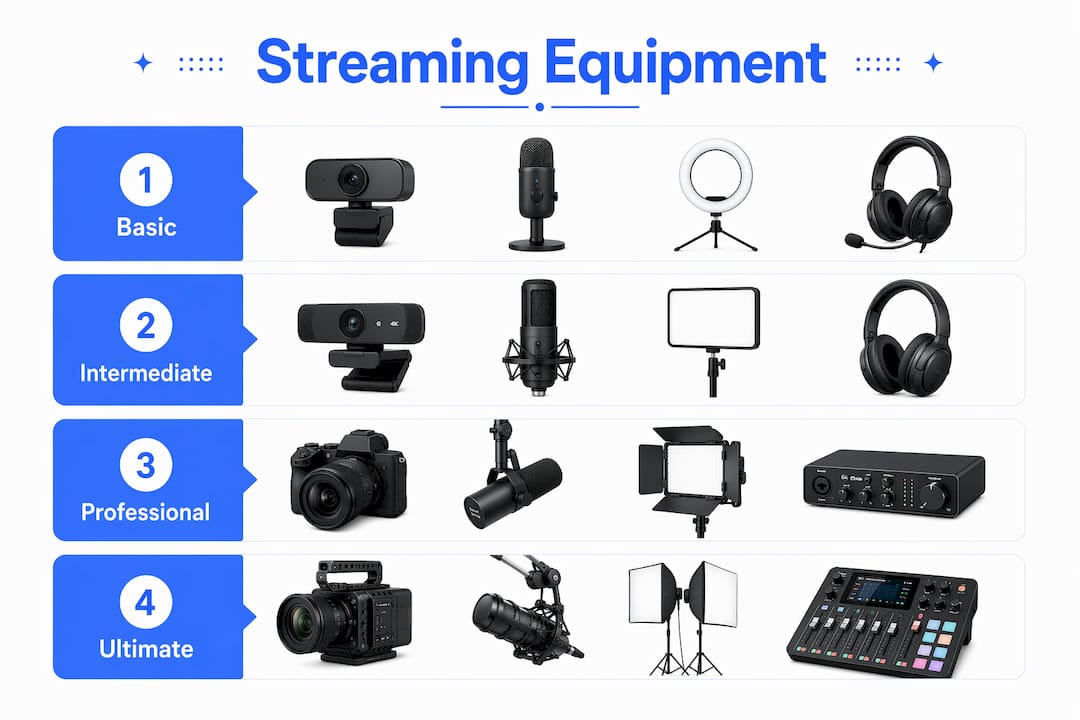
The foundation of any successful stream is hardware that captures clean audio and video, paired with software that ties everything together. Beginners often overspend on cameras and underspend on the two things viewers actually notice first: sound and lighting.
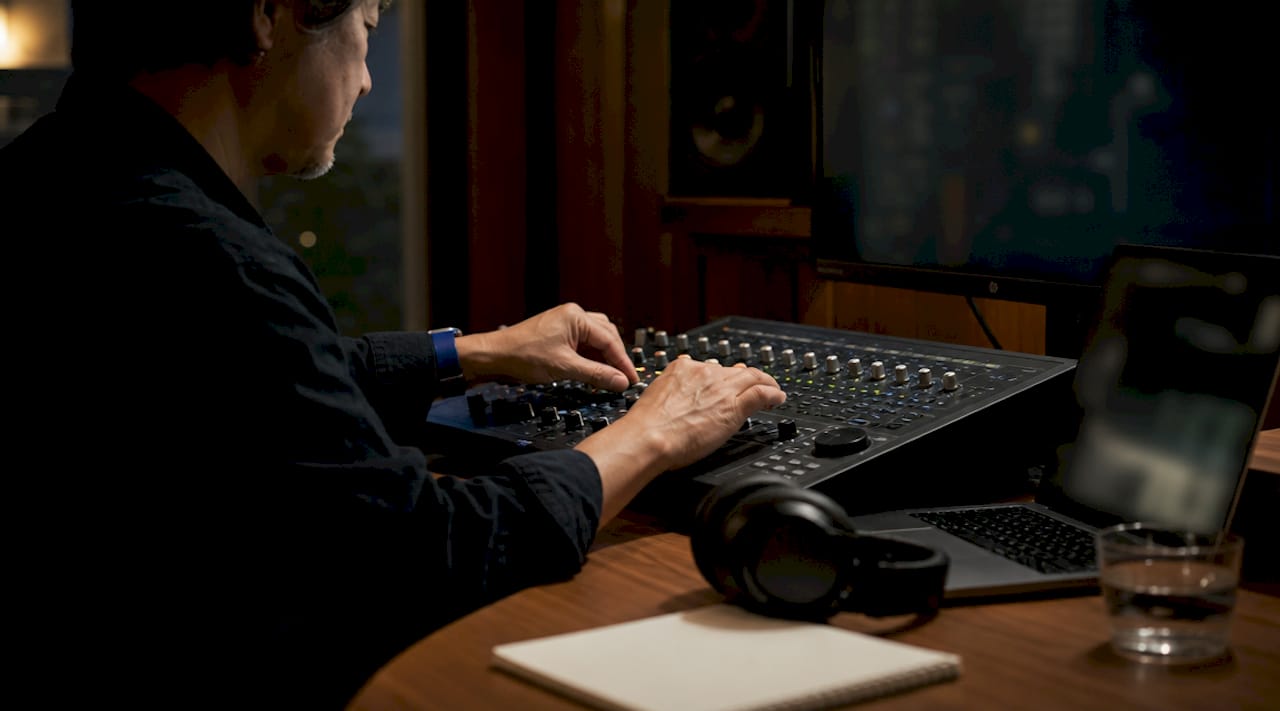
Audio quality is more critical for viewer retention than video quality. Distorted or inconsistent audio is the primary reason viewers leave a stream within the first two minutes. A USB condenser microphone like the Blue Yeti or Audio-Technica AT2020 costs under $100 and immediately separates your stream from the majority of amateur broadcasts.
For lighting, a three-point setup using a key light, fill light, and backlight improves visual quality more than any camera upgrade. A $60 ring light paired with a softbox fill light will outperform a $500 camera in a poorly lit room every single time. This is the single most underrated investment in live stream production techniques.
On the software side, OBS Studio is the industry-standard free option, offering scene switching, audio mixing, and overlay integration. StreamYard is the browser-based alternative that trades customization for simplicity, making it ideal for hosting a virtual event or interview-style stream without a steep learning curve.
| Tier | Camera | Microphone | Lighting | Software |
|---|---|---|---|---|
| Basic | Smartphone or 1080p webcam | USB mic (Blue Yeti) | Ring light | OBS Studio (free) |
| Intermediate | Logitech C922 or mirrorless | XLR mic with audio interface | Three-point LED setup | StreamYard or OBS |
| Professional | DSLR with capture card | Broadcast XLR mic | Studio softbox kit | OBS with custom plugins |
Совет профессионала: Lock your camera to manual settings before going live. Auto-exposure and auto-white-balance adjustments mid-stream are visually distracting and signal amateur production to your audience.
How to prepare and schedule your streams for maximum engagement
Planning separates creators who grow from those who plateau. Every stream needs a defined objective before you open OBS or hit “Go Live.” That objective shapes your content, your promotion, and the way you structure the session itself.
Start by setting a clear theme for each broadcast. A gaming stream titled “Friday Night Ranked Grind” gives viewers a reason to return at a specific time. A creator on Fanspicy hosting a Q&A session builds anticipation by teasing topics on social media 48 hours in advance. Vague, unannounced streams consistently underperform against scheduled, promoted ones.
Experts recommend streaming 2-3 times per week to build audience rhythm and improve your own skills through repetition. Consistency matters more than frequency. A creator who streams every Tuesday and Thursday at 7 PM builds a reliable habit in their audience faster than one who streams five times one week and disappears for two weeks.
Here is a pre-stream promotion workflow that works across platforms:
- Post a “going live” announcement 48 hours before the stream with the topic and time.
- Share a short teaser clip or graphic 24 hours out on Instagram, X, and TikTok.
- Send an email or push notification to your subscriber list one hour before.
- Post a final “starting in 15 minutes” reminder on your primary platform.
- Pin a welcome message in your chat before the stream begins so early arrivals feel acknowledged.
Совет профессионала: Build a preflight checklist and run it before every single stream. Include items like checking your stream key, testing audio levels, confirming your internet connection, and running a private test stream to catch issues before your audience sees them.
Engagement tactics like polls, countdown timers, and scheduled Q&A segments give viewers a reason to stay past the first five minutes. The live cam engagement ideas that consistently drive subscription growth share one trait: they make the viewer feel like a participant, not a spectator.
What are the step-by-step technical steps to start and manage a live stream?
Execution is where preparation pays off. Follow this sequence every time you broadcast live to minimize technical failures and maximize the quality of your output.
- Test your internet connection. A wired Ethernet connection with at least 10 Mbps upload is required for stable 1080p streams. For 4K, you need 25 Mbps or more. Never stream on Wi-Fi if you can avoid it.
- Open your streaming software and load your scene. In OBS Studio, set up scenes for your intro, main content, and outro in advance. Switching between pre-built scenes mid-stream looks professional and keeps the broadcast moving.
- Calibrate audio levels. Audio peaks should sit between -12dB and -6dB to avoid clipping. Speak at your normal streaming volume and adjust your gain until levels stay in that range consistently.
- Run a private test stream. Go live to an unlisted or private URL for five minutes. Watch the playback, check for audio sync issues, and confirm your overlays display correctly.
- Go live and open your chat. Greet viewers by name as they arrive. Early engagement signals to the platform algorithm that your stream is active and worth surfacing to new viewers.
- Monitor chat and moderate in real time. Assign a moderator if your audience exceeds 50 concurrent viewers. Unanswered chat messages and unmoderated spam both kill the community feel that makes live streaming worth watching.
After the stream ends, your work is not finished. Reviewing performance and repurposing highlights into short clips for YouTube Shorts, TikTok, or Instagram Reels extends the reach of every broadcast far beyond its live audience. A 90-minute stream can generate five to eight short clips that drive new viewers back to your channel.
Совет профессионала: Keep a second device running as a viewer during your stream. You will catch audio dropouts, overlay glitches, and chat issues that you cannot see from the broadcaster side.
How do different platforms compare for live streaming?
Platform choice shapes your audience ceiling, monetization options, and technical requirements. No single platform is best for every creator. The right choice depends on your content type and where your audience already spends time.
Twitch is built for gaming and interactive entertainment. It rewards consistent streaming schedules with discoverability features, but monetization through subscriptions requires reaching Affiliate status (50 followers, 500 total minutes broadcast, and an average of 3 concurrent viewers). YouTube Live benefits from the platform’s search engine, meaning your streams are discoverable long after they end as on-demand replays. Facebook Live reaches older demographics and integrates directly with Facebook Groups, making it strong for community-based creators. Instagram Live is optimized for short, spontaneous sessions under 60 minutes and works best for creators whose primary audience is already on Instagram.
Multi-platform streaming through tools like Restream or Castr can expand your reach significantly. However, multi-platform streaming requires careful attention to each platform’s terms of service, since some exclusivity agreements restrict simultaneous broadcasts. Read the fine print before you go wide.
For creators on paid social platforms and subscription-based models, Fanspicy offers a live cam environment designed specifically for monetized creator-audience relationships. The live streaming best practices that apply to mainstream platforms translate directly to subscription-based streaming, with the added layer of direct fan monetization built into the platform.
What common mistakes kill stream quality and how do you fix them?
Most streaming problems are predictable and preventable. The creators who improve fastest are the ones who treat every stream as a production to be reviewed, not just a broadcast to be forgotten.
Wi-Fi instability is the most common cause of dropped streams. Latency spikes on wireless connections interrupt encoding and cause buffering that viewers experience as a broken stream. Use wired Ethernet as your default and keep a 4G or 5G mobile hotspot as a failover option for critical broadcasts.
A cluttered or distracting background undermines the professional impression that good audio and lighting create. A clean wall, a simple bookshelf, or a branded backdrop costs nothing to set up and signals that you take your content seriously. Viewers make judgments about production quality within the first ten seconds.
Inconsistent scheduling is the silent killer of audience growth. Viewers who tune in twice and find no stream both times do not come back a third time. Treat your stream schedule like a television program. It starts on time, every time.
Finally, neglecting post-stream content is a missed opportunity that most creators do not recognize until months into their streaming career. Repurposing stream highlights into short-form clips creates a content flywheel that keeps working for you between live sessions.
Successful streaming treats every live show as a curated experience with narrative structure and interactive elements, not an unplanned broadcast.
Key takeaways
Hosting professional live streams requires the right equipment, a repeatable planning process, and platform-specific strategy working together from the first second you go live.
| Point | Details |
|---|---|
| Audio over camera | Invest in a quality microphone before upgrading your camera for immediate viewer retention gains. |
| Wired connection required | Use Ethernet with at least 10 Mbps upload to prevent dropped frames and stream interruptions. |
| Schedule and promote | Stream 2-3 times per week at consistent times and promote each session 48 hours in advance. |
| Run a test stream | Use a private unlisted stream before every broadcast to catch audio, video, and connection issues. |
| Repurpose after streaming | Clip and share stream highlights to extend reach and drive new viewers to future live sessions. |
What I’ve learned from treating streams as live shows, not broadcasts
The biggest shift in my thinking about live streaming came when I stopped treating it as “going live” and started treating it as producing a show. That reframe changes everything. You stop winging your intro. You build scene transitions. You plan the moment you will ask viewers a question, because you know that question will spike chat activity and signal engagement to the algorithm.
The technical side matters, but it is table stakes by 2026. Audiences have seen enough streams to recognize bad audio, a blown-out background, and a creator who clearly did not test their setup. What keeps viewers coming back is not a $2,000 camera. It is the feeling that the person on screen prepared for them specifically.
Сайт live stream setup workflow I rely on now takes about 20 minutes before every session. That 20 minutes eliminates 90% of the technical problems that used to derail my early streams. The other 10% you handle live, on camera, which is actually fine. Viewers forgive real-time problem-solving. They do not forgive the same avoidable mistake happening three streams in a row.
Start with the basics, run your checklist, and iterate after every broadcast. The creators who build real audiences are not the ones with the best gear. They are the ones who show up consistently and get a little better every single time.
— fan
Take your live streams further with Fanspicy
Fanspicy is built for creators who want to turn live streaming into a real income stream, not just a content format.
On Fanspicy, you can host live cam sessions directly to your paying subscribers, build a community that supports your content financially, and use interactive features like real-time chat and tipping to deepen fan relationships during every broadcast. The platform is designed for creators who are serious about monetizing their audience, not just growing it. If you are ready to host live streams that generate direct revenue, start on Fanspicy and see what a purpose-built creator platform makes possible.
ЧАСТО ЗАДАВАЕМЫЕ ВОПРОСЫ
What internet speed do I need to stream live?
A wired Ethernet connection with at least 10 Mbps upload speed is required for stable 1080p streaming. For 4K quality, 25 Mbps upload or more is necessary.
Is OBS Studio good for beginners?
OBS Studio is the industry-standard free streaming software and works well for beginners willing to spend time on setup. Creators who want a faster start with less configuration often prefer StreamYard as an entry point.
How often should I stream to grow my audience?
Streaming 2-3 times per week at consistent times is the recommended frequency for audience growth and skill development. Consistency in scheduling matters more than total hours broadcast.
What is the most important piece of streaming equipment?
A quality microphone is the single most impactful equipment investment for new streamers. Poor audio causes immediate viewer drop-off, while viewers tolerate lower video quality far more readily.
Can I stream to multiple platforms at the same time?
Yes, tools like Restream allow simultaneous multi-platform broadcasting. Check each platform’s terms of service first, since some agreements restrict or penalize simultaneous streaming to competing platforms.