

目次
Streaming with professional equipment sets you apart, turning basic broadcasts into dynamic viewer experiences. For creators moving from platforms like OnlyFans, mastering technical details can directly boost audience engagement and income. Research shows that streamers using high-quality gear and interactive layouts consistently report higher monetization rates than their peers. This article reveals hands-on strategies, from building an american-grade setup to customizing your branding and optimizing stream timing for maximum impact.
目次
- Step 1: Set Up Your Streaming Equipment for Success
- Step 2: Customize Your Stream Layout and Branding
- Step 3: Plan Interactive Content to Engage Viewers
- Step 4: Optimize Stream Timing and Promotion
- Step 5: Track Performance and Adjust Strategies
簡単なまとめ
| キーポイント | 説明 |
|---|---|
| 1. Choose High-Quality Equipment | Invest in a 1080p camera and a USB condenser microphone to enhance audio and visual quality for your stream. |
| 2. Design a Consistent Visual Brand | Establish a unified color scheme and logo that represent your content style to strengthen brand recognition. |
| 3. Incorporate Viewer Interactions | Use live polls and viewer challenges to engage your audience, making them feel valued as active participants. |
| 4. Optimize Timing and Promotion | Analyze viewer habits to determine the best streaming times and promote your sessions effectively across multiple channels. |
| 5. Track and Analyze Performance | Regularly review audience metrics to refine your content and growth strategies, ensuring continuous improvement in your streaming efforts. |
Step 1: Set Up Your Streaming Equipment for Success
Setting up professional streaming equipment transforms your content from amateur to engaging. Your technical setup will directly impact viewer experience and determine how smoothly you can interact with your audience.
Choosing the right equipment requires strategic planning. Start with a high-quality webcam or digital camera capable of streaming at least 1080p resolution. Professional streaming configurations recommend selecting hardware that supports stable frame rates between 30-60 fps for smooth visual transmission. Your primary camera should provide clear image quality with good low light performance.
Audio is equally critical. Invest in a dedicated microphone instead of relying on built-in camera audio. USB condenser microphones offer excellent sound clarity and are relatively affordable for new creators. Position your microphone approximately 6-8 inches from your mouth to capture crisp, professional sound without background noise. Consider acoustic treatments like foam panels or a simple blanket behind you to minimize echo and improve audio quality.
Pro tip: Test your entire streaming setup before going live by recording a short practice video to check video and audio synchronization and overall quality.
Here’s a quick reference guide to essential streaming equipment and their impacts:
| Equipment Type | Recommended Feature | Viewer Impact |
|---|---|---|
| Camera | 1080p resolution, 30-60 fps | Sharp visuals, smooth motion |
| Microphone | USB condenser, 6-8" distance | Clear speech, reduced noise |
| Lighting | Adjustable color temperature | Bright, balanced image |
| Acoustic Treatment | Foam panels, blankets | Less echo, warmer sound |
Step 2: Customize Your Stream Layout and Branding
Creating a distinctive stream layout helps you stand out in a crowded digital landscape and build a memorable personal brand. Your visual presentation is more than just aesthetics its a powerful communication tool that tells your unique story.
Start by developing a consistent visual identity that reflects your personality and content style. Optimizing stream design requires strategic visual elements that guide viewer attention and create professional polish. Select a color palette that complements your brand potentially using 2-3 coordinating colors that appear across your overlays camera frames and background graphics. Design a custom logo or watermark that appears subtly in one corner of your stream to reinforce brand recognition.
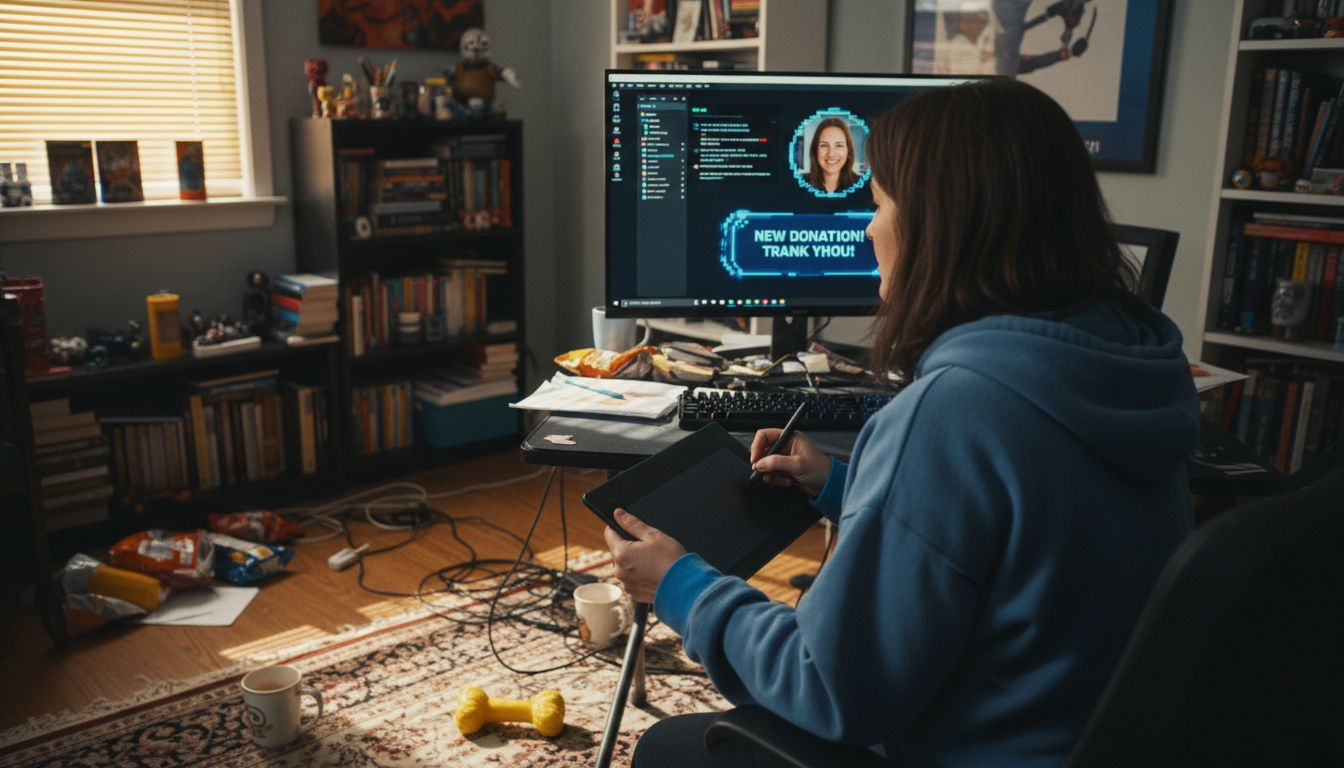
Utilize streaming software overlays to enhance viewer interaction. Create text boxes for real time chat integration dynamic subscriber counters and donation trackers that match your visual theme. Consider designing transition screens for starting ending or taking breaks during your stream which maintain your professional aesthetic. Make sure all graphical elements are high resolution and scale smoothly across different viewer screen sizes.
Pro tip: Create a design template folder with all your branded assets so you can quickly update and maintain consistent visual branding across multiple streaming sessions.
Step 3: Plan Interactive Content to Engage Viewers
Successful live streaming goes beyond simply broadcasting content it requires strategic audience interaction that transforms passive viewers into active participants. Your goal is to create an immersive experience that makes viewers feel connected and valued.
Interactive streaming strategies fundamentally reshape audience engagement by incorporating multiple participation channels. Design your stream with intentional interaction points like live polls real time chat challenges and viewer request segments. For example create a midstream quiz about your content topic or invite viewers to vote on upcoming segment directions. These techniques not only maintain audience attention but also provide valuable feedback about viewer preferences and interests.
Implement structured interaction techniques that encourage ongoing participation. Develop a consistent rhythm of engagement by scheduling specific moments during your stream for viewer input. Use comment reading segments where you verbally acknowledge and respond to viewer messages. Integrate gamification elements like point systems or rewards for active chat participants. Consider creating segments that directly involve viewers such as live challenges audience choice activities or collaborative problem solving tasks that make each stream feel unique and unpredictable.
Pro tip: Prepare a flexible interaction template with multiple engagement options so you can spontaneously adapt your content based on real time viewer responses.
Compare common audience engagement techniques for streamers:
| Technique | Typical Tools or Methods | Core Audience Benefit |
|---|---|---|
| Live Polls | Overlay widgets, chat commands | Increases real-time participation |
| Viewer Challenges | On-air tasks, voting | Fosters direct viewer involvement |
| Gamification | Points, ranking systems | Rewards loyalty and participation |
| Comment Interaction | Reading/responding, on-screen highlights | Builds community connection |
Step 4: Optimize Stream Timing and Promotion
Successful streaming requires strategic planning that goes beyond creating great content. You need to understand when and how to reach your audience for maximum engagement and potential earnings.
Systematic approaches to stream timing can significantly improve audience reach by analyzing viewer demographics and platform algorithms. Research your specific audience segments and map out their peak online hours across different time zones. Most creators find success by conducting audience surveys or reviewing platform analytics to identify prime streaming windows. Consider creating a consistent streaming schedule that allows viewers to anticipate and plan around your content release times.
Multichannel promotion is crucial for expanding your stream visibility. Develop a comprehensive marketing strategy that announces upcoming streams across social media platforms email lists and community forums. Create teaser content short preview clips or behind the scenes glimpses that build anticipation. Use platform specific features like stories notifications and countdown tools to generate excitement. Track your promotional efforts analytics to understand which channels drive the most viewer engagement and adjust your strategy accordingly.
Pro tip: Create a content calendar that schedules stream announcements at least one week in advance and includes reminder posts at progressively closer intervals to maximize audience turnout.
Step 5: Track Performance and Adjust Strategies
Successful content creators understand that continuous improvement requires systematic performance tracking and strategic adaptation. Your ability to analyze metrics and respond dynamically will determine your long-term streaming success.
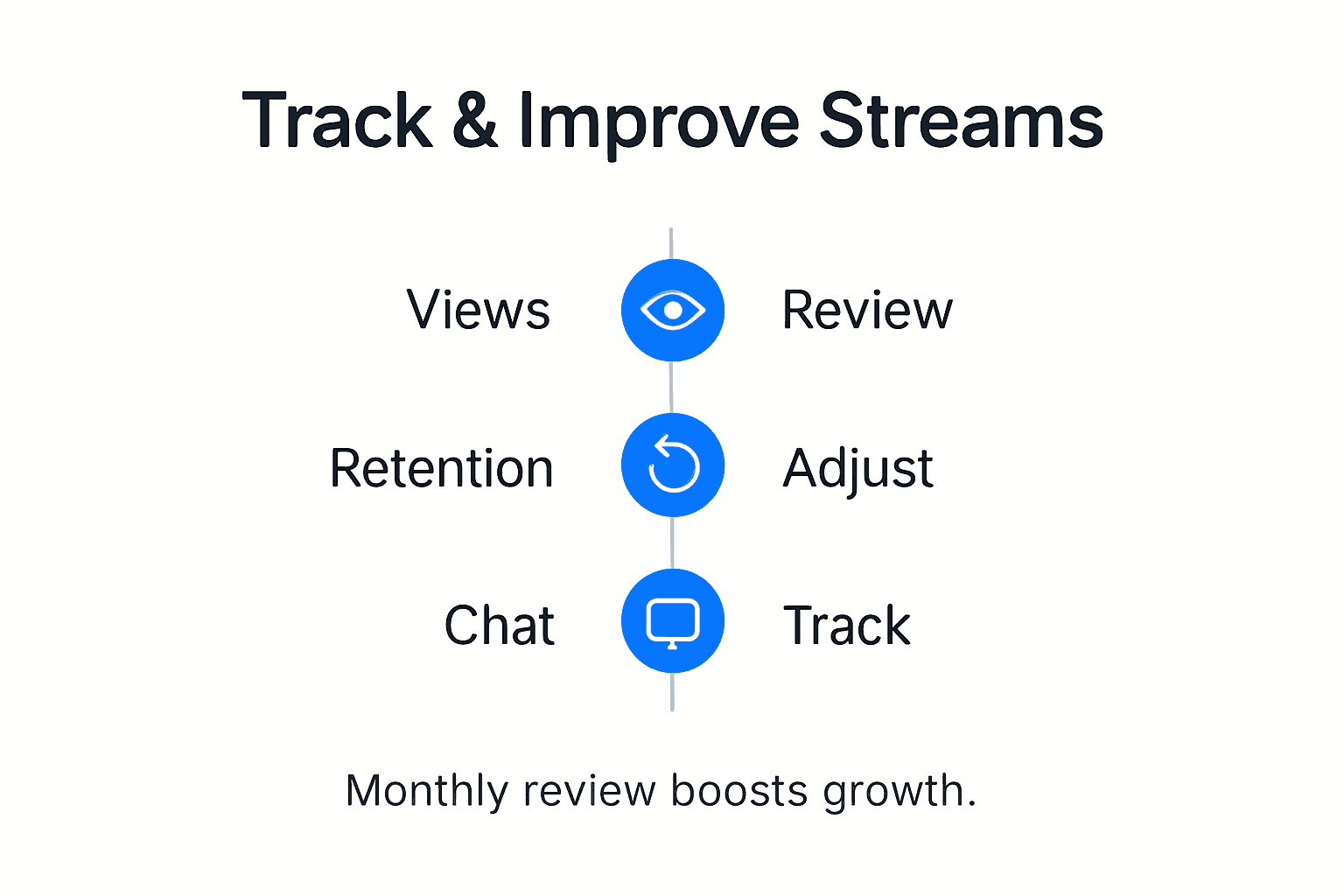
Advanced tracking methodologies powered by artificial intelligence enable creators to gain deep insights into viewer engagement and content performance. Focus on key performance indicators such as viewer retention rates average watch time interaction metrics and follower growth. Utilize platform analytics dashboards to visualize data trends and identify patterns in your audience behavior. Pay special attention to moments when viewers disengage or show increased interest allowing you to refine your content strategy accordingly.
Implement a structured approach to performance review by creating monthly evaluation sessions. Compare your current metrics against previous periods to understand your growth trajectory. Break down your analytics into granular segments tracking performance across different content types audience demographics and streaming times. Use these insights to experiment with content format streaming schedule and interaction techniques. Develop a flexible mindset that views data as a roadmap for continuous improvement rather than a rigid set of constraints.
Pro tip: Create a performance tracking spreadsheet with color coded indicators that allow you to quickly visualize your streaming metrics and identify areas requiring immediate attention.
Elevate Your Streaming Experience with FanSpicy
Struggling to keep your audience engaged while maximizing your earnings? The key challenges highlighted in the article like optimizing stream timing and enhancing interactive content are exactly what many creators face today. Achieving smooth video and crystal-clear audio is just the start. To truly stand out and build a loyal community, you need a platform that supports professional branding, dynamic audience participation, and reliable monetization options all in one place.
Discover how ファン・スパイシー can transform your streaming setup from basic to brilliant. With our dedicated live cam platform designed as a superior alternative to traditional paid social sites including OnlyFans, you gain access to advanced tools that let you create branded experiences plus track performance metrics easily. Start engaging your viewers with real-time features that align perfectly with the interactive streaming strategies discussed in the article. Don’t wait to turn your passion into profit. Visit FanSpicy now to explore how our platform supports consistent streaming schedules, audience growth, and enhanced earnings. Get ready to stream smarter and grow faster.
よくある質問
How can I improve the quality of my live stream audio?
Invest in a dedicated microphone rather than relying on built-in camera audio. Position your microphone about 6-8 inches from your mouth to ensure clear sound, and consider using acoustic treatments like foam panels to minimize echo in your streaming space.
What equipment do I need for professional-looking live streams?
Start with a high-quality camera that supports at least 1080p resolution and a stable frame rate of 30-60 fps. Additionally, don’t forget good lighting and a reliable microphone to enhance both video quality and audio clarity for your viewers.
How can I effectively engage my audience during a live stream?
Incorporate interactive elements like live polls, viewer challenges, and comment reading segments. Schedule specific times for audience interaction to keep viewers engaged and give them a feeling of involvement throughout the stream.
What strategies can I use to promote my live streams?
Develop a comprehensive marketing strategy that includes announcing your streams on social media and community forums. Create teaser content and use platform-specific features like countdowns to generate excitement a week before your streams.
How should I track and improve my streaming performance?
Regularly review key performance indicators such as viewer retention and engagement metrics. Create a monthly evaluation process to analyze trends, adjusting your content strategies based on what resonates most with your audience.
How can I customize my stream layout to enhance viewer experience?
Create a visually appealing stream layout that reflects your brand identity, using a consistent color palette and custom graphics. Utilize overlays for chat integration and transition screens, ensuring all elements are high resolution for a professional appearance.