

目次
“Twts” is creator shorthand for tweets, the short X/Twitter posts creators use to tease, preview, or link to paid content. The best ones follow one template: a hook that stops the scroll, a single line of value, and a direct call to action pointing to a link or your bio link. Skip this structure and even great content underperforms.
Three signals matter more than follower count:
- Premium and verified-user replies or quote-tweets, not generic likes
- Click-through rate into your landing page
- Actual conversions once someone lands there
要点
A twt converts best when it pairs a short attention hook with one clear value line and a single, trackable CTA pointed at a low-friction landing page.
| Point | Details |
|---|---|
| Define the format | Twts are short X posts built to tease or link to paid content, not general chatter. |
| Match format to goal | Use short twts for discovery and quick CTAs; save longer posts for storytelling and skip threads unless sequencing is essential. |
| Follow the hook-value-CTA skeleton | Lead with curiosity, state the payoff in one line, and close with a direct instruction to click or tap your bio link. |
| Tag and track every link | Apply consistent UTM parameters and watch CTR, landing conversion, premium engagement, and revenue per click. |
| Test before you scale | Run two-week experiments on CTA wording, media use, and link type, then repeat the strongest variant. |
目次
- What Are Twts, and Why Do They Matter for Paid Content?
- When Should You Use a Short Twt Instead of a Thread?
- How Do You Write a Twt That Actually Converts?
- Twt Templates You Can Copy and Adapt Today
- How Should You Link and Track Twt Traffic to Paid Content?
- When Should You Post, and What Should You Test First?
- Why Fanspicy Is Built to Convert Twt Traffic Into Paying Fans
- What Most Advice on Twts Gets Wrong
- Sources
What Are Twts, and Why Do They Matter for Paid Content?
A twt is nothing more than a short post on X, but the label matters because creators use it to mean something specific: a promotional unit built to move someone from scrolling to paying. Understanding the platform’s basic primitives, post, reply, quote, thread, repost, pinned post, helps you decide which one to use for a given goal, a distinction Buffer’s guide to using X covers in detail.
When Should You Use a Short Twt Instead of a Thread?
Format choice is a strategy decision, not a stylistic one. Send the wrong message type and you lose readers before they ever see your CTA.
- Short twts work best for discovery, timely reminders, and quick promos, anything where speed and scannability beat depth.
- Longer single posts suit storytelling: a behind-the-scenes moment, a personal update, or context that builds trust before you ask for a sale.
- Threads deserve caution. Engagement typically drops sharply after the second or third post, since most casual scrollers never click “show more.” Save threads for content that genuinely needs sequencing, like a step-by-step tutorial.
Some creators are shifting toward single long-form posts specifically to avoid this drop-off, centralizing engagement instead of scattering it across a thread, according to trend analysis from Posteverywhere. That doesn’t retire the short twt. It’s still the fastest way to get new followers to notice you exist and the cleanest way to deliver a single, clickable offer. Your format choice should also follow the audience you’re optimizing for: if premium or verified-user engagement drives your revenue, a short, direct twt with a clear CTA usually outperforms a long post asking for patience.
プロのアドバイス If a topic needs more than three posts to explain, it’s not a thread. It’s a landing page. Write the short twt, then link to the fuller version somewhere you control.
How Do You Write a Twt That Actually Converts?
Every high-performing twt follows the same three-part skeleton, regardless of niche.
- Hook: one line that creates curiosity or urgency, no throat-clearing.
- Value: a single sentence that tells the reader exactly what they get.
- CTA: a direct instruction, “link below,” “tap the bio link,” or an actual URL.
Keep the whole post tight. X gives you room to write long, but scroll behavior rewards brevity, most readers decide whether to engage within the first line or two. Save extra characters for the CTA, not the setup. Add a still image or a short clip (five to ten seconds) when the visual itself is the hook, a preview screenshot, a countdown graphic, a teaser frame. Skip media when the copy alone creates enough tension to earn a click.
Disclosure matters as much as copywriting. Label paid or exclusive content clearly (“full clip on my page,” “subscribers only”) so followers know what they’re clicking into before they tap. This protects trust and keeps your engagement metrics honest, since Sprout Social’s guidance on X marketing notes that quality replies and quote-tweets from real, invested followers drive better monetization outcomes than inflated impressions ever will.

Twt Templates You Can Copy and Adapt Today
Steal these structures, swap in your own hook, and adjust the CTA to match where you’re sending traffic.
- New content drop: “New video just went up. This one’s not staying free long. [link]”
- Teaser clip: “Filmed something I probably shouldn’t post here. Full clip’s on my page. [link]”
- Limited-time discount: “24 hours only: 30% off my page. Gone tomorrow. [link]”
- Preview screenshot: attach a cropped still, caption: “This is the tame version. Rest is behind the paywall.”
- Countdown: “3 days left on this bundle. After that it’s gone for good. [link]”
- Behind-the-scenes tease: “Wild what happens right after I stop filming for the public feed. [link]”
- Fan request fulfilled: “You asked, I delivered. New set up now, subscribers only. [link]”
- Milestone post: “Just hit a new follower count. Celebrating with a free preview, full thing’s paid. [link]”
Two Fanspicy-specific examples show the same logic applied to real landing pages: a free preview post like Tinytease’s page hooks visitors with unpaywalled content before nudging them toward a subscription, while the KTY preview post pairs a compact thumbnail with an immediate subscribe prompt, exactly the low-friction path a landing page needs.
プロのアドバイス Rotate templates weekly instead of reusing the same phrasing. Followers notice repetition faster than you think, and stale copy quietly tanks your CTR.
How Should You Link and Track Twt Traffic to Paid Content?
A direct link works when you want a one-click path with no friction, ideal for time-sensitive offers. A link-in-bio setup works better when you’re posting frequently and don’t want to edit your bio link every hour, but it adds a step that can cost you a few percentage points of click-through.
Tag every link with consistent UTM parameters so you know which post actually drove revenue: utm_source=twts, utm_medium=social, utm_campaign= plus a short campaign name. Without this, you’re guessing which copy or CTA worked.
Track four numbers on a regular basis:
- Click-through rate on the twt itself
- Landing page conversion rate once someone arrives
- Premium or verified-user engagement rate
- Revenue per click, the number that actually tells you if a format is worth repeating
Running small, UTM-tagged experiments before scaling any funnel is standard practice recommended in Typefully’s monetization guide, and it applies just as well to a five-post test as a five-hundred-post campaign.
When Should You Post, and What Should You Test First?
Posting cadence matters less than consistency and relevance. Two or three twts a day, spaced out rather than clustered, tends to avoid follower fatigue while still keeping you visible. Sprout Social points out that being intentional about timing and audience fit beats posting more often for its own sake.
Run three tests over a two-week cycle:
- CTA wording: “link below” versus “tap my bio” versus a direct URL.
- Media presence: image or clip attached versus text-only.
- Link type: direct link versus link-in-bio.
Small sample sizes will be noisy, so look for a pattern across several posts rather than judging one twt in isolation. Once a variant consistently outperforms by a meaningful margin across multiple posts, make it your default and test the next variable.
Why Fanspicy Is Built to Convert Twt Traffic Into Paying Fans
Fanspicy is a paid social marketplace where creators sell subscriptions, paid posts, bundles, and live cam sessions under a revenue-share model, which means every twt you send here has a direct path to a purchase, not just a follow.
Free preview posts already live on the platform to model exactly the kind of low-friction landing page a twt should point to:
- Use a free preview post, like Tinytease’s page, as your linked landing destination
- Pin your strongest preview so first-time clickers see it immediately
- Choose clear thumbnails over cluttered ones, following the compact-preview approach used on pages like the KTY example
- Add UTM parameters to every link pointing at your Fanspicy creator page so you know which twt actually paid off
What Most Advice on Twts Gets Wrong
Most guides treat twts like a copywriting exercise, obsess over the hook, tweak the emoji, and call it done. That misses the bigger lever: where the click actually lands. A brilliant hook that dumps a visitor onto a cluttered profile or a paywall with no context wastes the click you worked to earn.
The conventional advice to “post more often” also deserves pushback. Volume without a tracking system just produces more noise, not more revenue. A creator posting twice a day with UTM-tagged links and a clean landing preview will consistently outperform someone posting five times a day into the void.
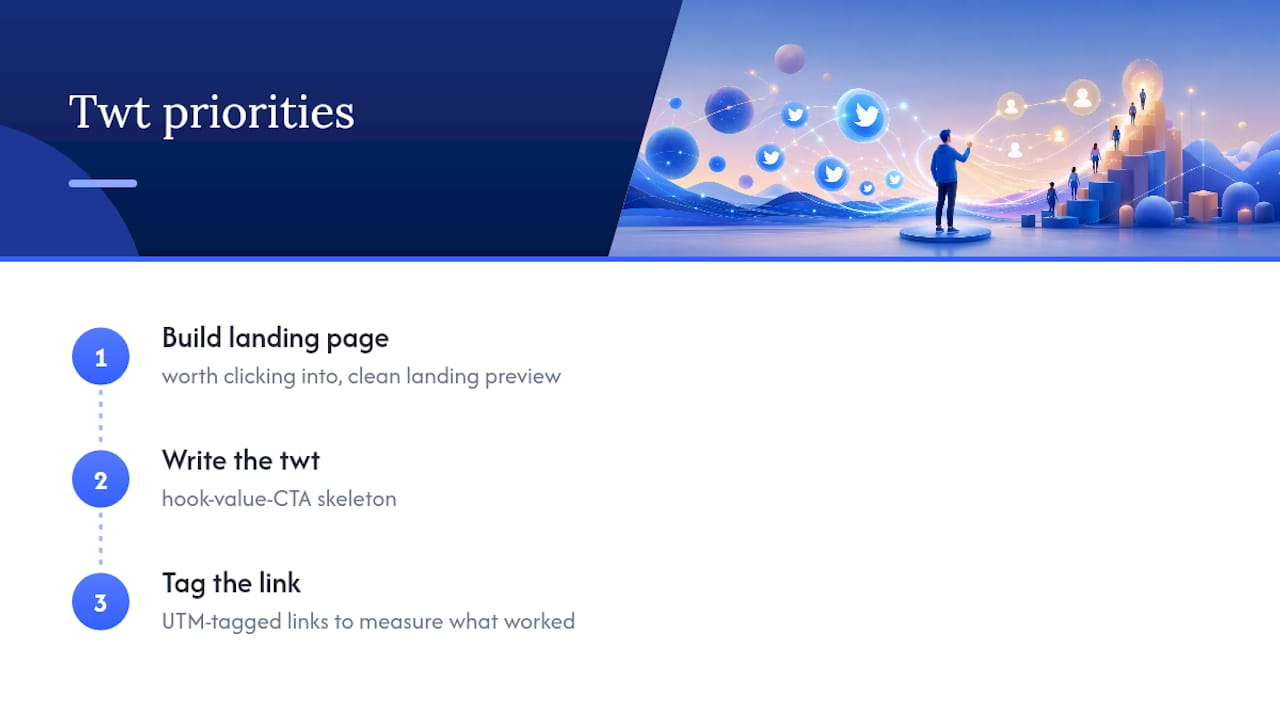
Prioritize three things in this order: build a landing page worth clicking into, write the twt using the hook-value-CTA skeleton, then tag the link so you can measure what actually worked. Skip the tracking step and you’re left guessing forever, repeating whatever felt right instead of what the data shows.
— fan
Sources
For deeper platform tactics, see Sprout Social’s Twitter marketing strategy guide, Buffer’s complete guide to using X, and Typefully’s X monetization guide. For creator-specific promotional tactics, browse Fanspicy’s insights on promoting paid content.
- How to Create a Twitter Marketing Strategy | Sprout Social
- How to Use Twitter/X: The Complete Guide for 2026
- x-twitter-trends-2026
- X (Twitter) Monetization Guide: How to Make Money on X/Twitter